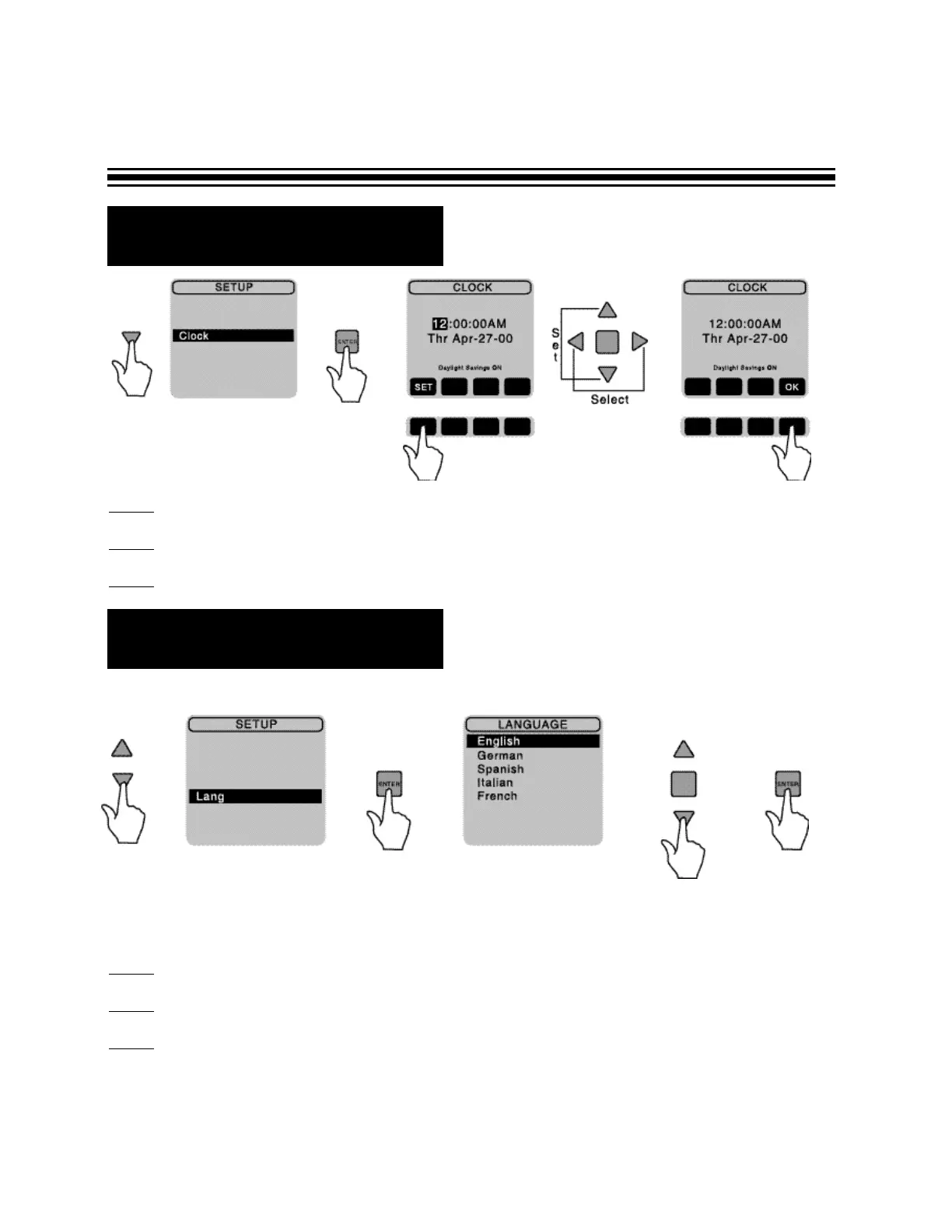
R Language Set-up
R Clock Set-up
To change a language:
Step 1
- In the SET-UP screen, using arrow keys select a lang and press ENTER
Step 2
- Select your desired language.
Step 3 - Press ENTER.
If you are satisfied with the choice of language on your screen, skip this section.
Page 9
Step 1
- Under SET-UP screen, using arrows on the keypad, select clock, then press ENTER.
Step 2
- If clock needs to be changed, using arrow keys, change time and date.
Step 3 - Once correct information has been obtained, press OK to return to SET-UP screen.


 To Next Page