R Viewing Data
It is not necessary for you to download to a PC in order to view your recorded data. You have the
option of viewing the data directly on the DMII LCD screen. Note that while the data is being recorded,
the scroll feature of the charts is not available. All features will be available when the recording session
is complete.
Step 1
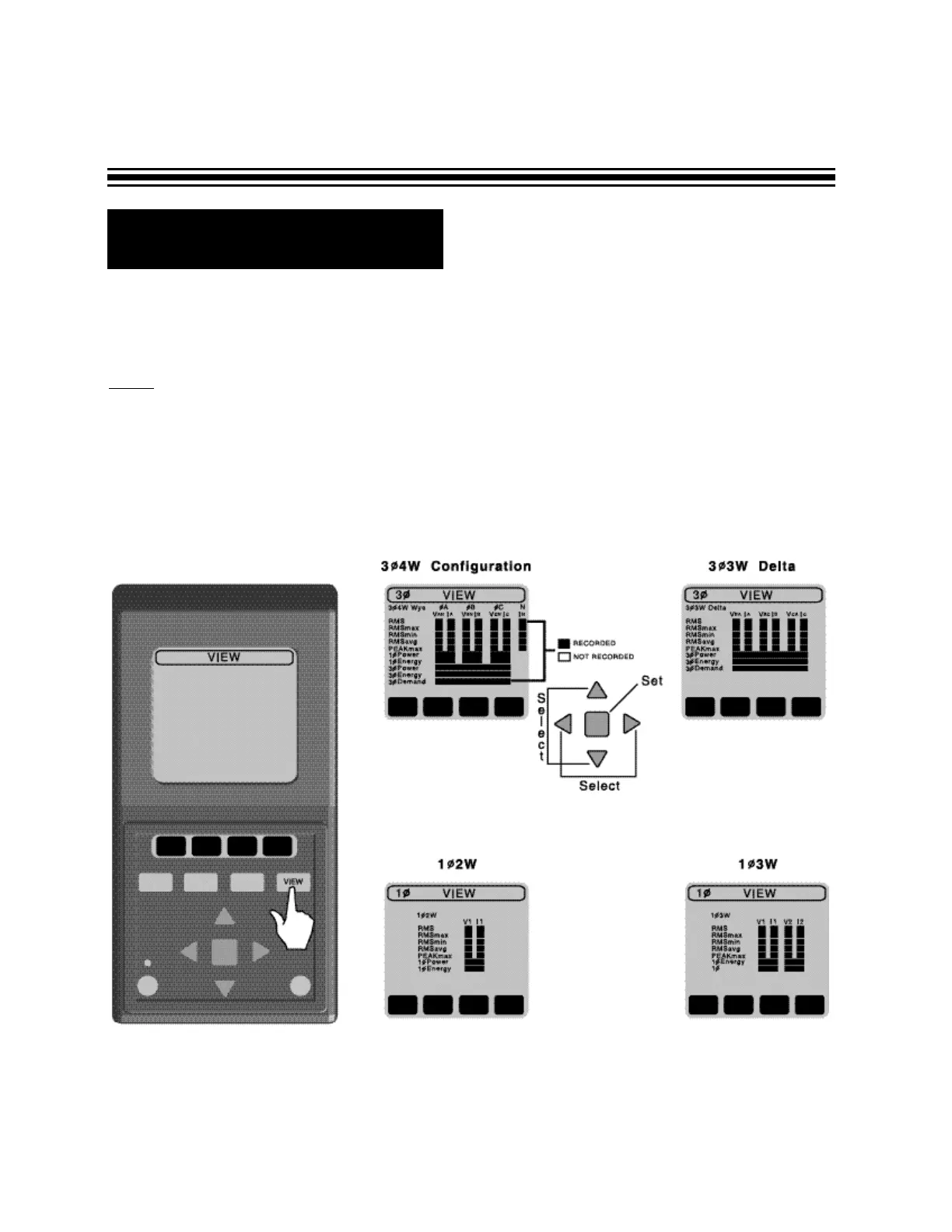
- To view data, simply push the VIEW button.
• A black selection box indicates that the parameter was recorded and can be viewed.
• A blank selection box indicates that the parameter was NOT recorded and cannot be
viewed.
Depending on the phase set-up you will see one of the four screens:
Page 20


 To Next Page