Tel : +33 (0)3 27 94 44 44 - Fax : +33 (0)3 27 94 44 45 - @ : contact@ams-diffusion.com - www.ams-diffusion.com
AMS - Rue des Galeries - Z.A. du Chevalement - 59286 ROOST WARENDIN - France
RCS DOUAI A 451 360 382 - CODE APE 4531Z - SIRET 451 360 382 00035 - TVA FR 55 451 360 382
22
v4-102013
FormHomepage
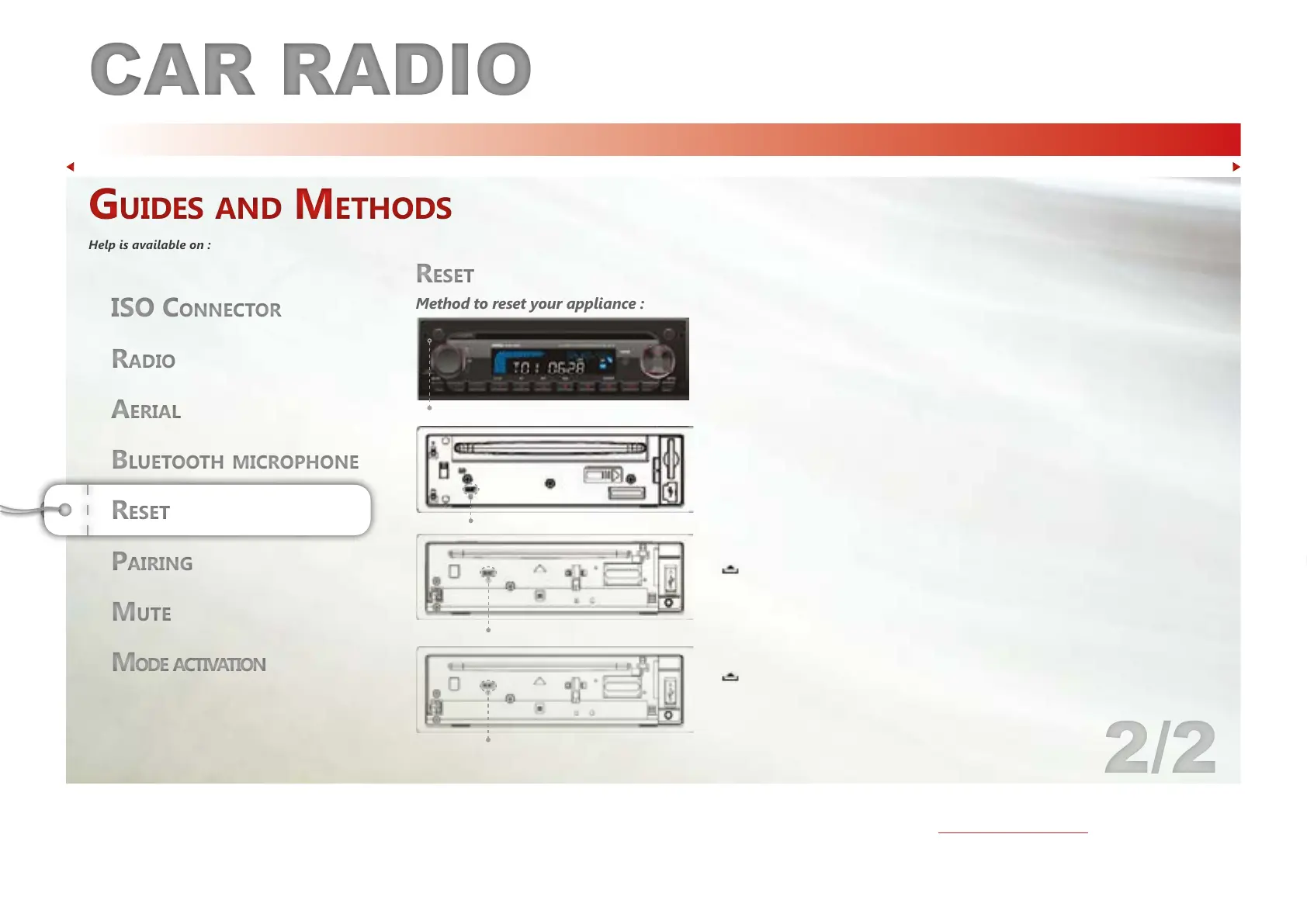
Method to reset your appliance : You will lose all your settings if you use the Reset function.
Mode activationMode activation
ISO COnneCtOrISO COnneCtOr
Bluetooth microphoneBluetooth microphone
Guides and Methods
Help is available on :
Guides and Methods
Help is available on :
CD124
Press the RESET button with a sharp object to restore your appliance’s initial
settings. Pressing RESET clears the clock and the memorized stations.
CD128
Remove the detachable front panel. Press the RESET button with a sharp object to restore
your appliance’s initial settings.
Pressing RESET clears the clock and the memorized stations.
CD130DAB
Press
to open the front panel. Then press the RESET button with a sharp object to restore
your appliance’s initial settings.
CB710
Press
to open the front panel. Then press the RESET button with a sharp object to restore
your appliance’s initial settings.
RESET
RESET
RESET
RESET



 To Next Page