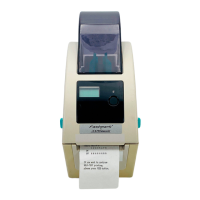
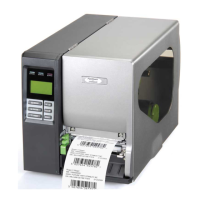
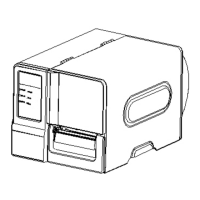
The Fastmark M9 Plus Thermal Barcode Printer (Direct & Transfer) is a high-performance industrial-duty printer designed to deliver clean and high-quality barcodes. It features a die-cast print mechanism housed in a strong, lightweight cabinet, making it durable for heavy-duty demand cycles.
Function Description:
The M9 Plus Series printers are capable of both thermal transfer and direct thermal printing. They are designed for a variety of applications including industrial-duty printing, work-in-process labeling, compliance labeling, order fulfillment, distribution, shipping/receiving, warehousing/distribution, and electronics/jewelry labeling. The printer supports printing very small 2D barcodes, graphics, fine print, and other ultra-high-resolution images. It comes with a color touch display with a brand-new GUI design and six menu buttons for an enhanced user experience. The printer can operate in standalone mode, accepting input from a keyboard, barcode scanner, or other serial devices, and can perform math and logical calculations based on internal databases. It also supports legacy data stream interpretation, allowing it to replace older print devices without requiring host software changes.
Important Technical Specifications:
- Models: M9 Plus (203 dpi) and M9 Plus (300 dpi).
- Resolution: 203 dots/inch (8 dots/mm) or 300 dots/inch (12 dots/mm).
- Printing Method: Thermal transfer & direct thermal.
- Dot Size: 0.125 x 0.125 mm (203 dpi) or 0.084 x 0.084 mm (300 dpi).
- Print Speed: Up to 8 ips (203 dpi) or up to 6 ips (300 dpi).
- Max. Print Width: 4.25" (108 mm) for 203 dpi, 4.16" (105.7 mm) for 300 dpi.
- Max. Print Length: 1000" (25,400 mm) for 203 dpi, 450" (11,430 mm) for 300 dpi.
- Processor: 32-bit RISC high-performance processor.
- Memory: 128MB Flash memory, 64MB DRAM.
- Interfaces: USB 2.0 (High speed mode), Internal Ethernet, RS-232 (Max. 115,200 bps), USB host (for USB storage device). Optional: GPIO interface, Wi-Fi module, internal Bluetooth module.
- Sensors: Gap transmissive sensor (position adjustable, 5 mm → 88 mm), Black mark reflective sensor (position adjustable, 0 mm → 81.7 mm), Ribbon encoder sensor, Ribbon end sensor (transmissive), Head open sensor.
- Physical Dimensions: 9.8" W (248mm) x 10.8” H (274mm) x 17.2" D (436mm).
- Weight: 20.3 lbs (9.2 kg).
- Power Supply: Auto sensing (AC 100-240V, ~2.0A, 50-60Hz input; DC 24V, 3.75A; 90W output).
- Environmental Conditions: Operation: 5~40°C (41~104°F), 25~85% non-condensing; Storage: -40~60°C (-40~140°F), 10~90% non-condensing.
- Compliance: Energy Star 2.0, REACH, RoHS, WEEE, CE, FCC part 15B Class A, ICES-003 Class A, AS/NZS CISPR 32 Class A, UL 62368-1, CSA C22.2 No. 62368-1, EN 62368-1, KN 32/35, K 60950-1, GB 4943.1, GB 9254 Class A, GB 17625.1, IS 13252(Part 1)/IEC 60950-1, CNS 13438, CNS 14336-1, CNS 15663, LP0002.
- Ribbon Specifications: O.D. Max. 3.2" (81.3 mm), 492 Yards (450 meter long) capacity, 1" (25.4 mm) core, 0.157" ~ 4.33" (40 mm ~ 110 mm) width, ink coated outside wound or ink coated inside wound.
- Media Specifications: O.D. Max. 8" (203.2 mm) roll capacity, 1"~ 3" (25.4 mm ~ 76.2 mm) I.D. core, continuous, die-cut, black mark, fan-fold, notch types, outside wound, 0.79" ~ 4.72" (20 mm ~ 120 mm) width, 0.002~0.011" (0.06 mm ~ 0.28 mm) thickness. Label length varies by resolution and mode (e.g., 0.197 ~ 1000" for 203 dpi series).
Usage Features:
- LCD Touch Display: A 3.5" color touch display (HVGA 320 x 480 pixel) with a multi-language GUI.
- Operator Control: Features 6 operation buttons (menu, feed/pause, up, down, left, right) and a 3-color LED indicator for status.
- Diagnostic Tool: An integrated utility for exploring printer settings/status, changing settings, downloading graphics/fonts/firmware, creating bitmap fonts, and sending commands.
- Menu Functions: Comprehensive menu accessible via touch display or navigational keys, including settings for emulation (TSPL & ZPL2), sensor calibration, interface configuration (Serial, Ethernet, Wi-Fi, Bluetooth), advanced settings (LCD, initialization, cutter type, media low warning), file management, and diagnostics.
- Printhead Pressure Adjustment Knob: 6 levels of adjustment for 1~2" and 3~4" media widths to optimize print quality.
- Ribbon Tension Adjustment Knob Module: 5 positions for adjustment to prevent ribbon wrinkles and ensure optimal print quality, especially with different ribbon or media widths.
- Loading Media: Detailed instructions for loading ribbon, standard label media, fanfold/external media, and media in peel-off and cutter modes (optional).
- Ethernet Setup: Configurable via RS-232, USB, or Ethernet interfaces using the Diagnostic Utility, allowing for DHCP or static IP settings.
- Wi-Fi and Bluetooth (Optional): Settings for SSID, security, local name, and ping code.
- PAL™ Print and Program Utility: Enables advanced functionalities such as standalone operation, range checking user input, combining data into barcodes, accessing internal databases, and performing calculations.
Maintenance Features:
- Cleaning: Regular cleaning of the printhead, platen roller, peel bar, sensors, exterior, and interior is recommended.
- Cleaning Materials: Cotton swab, lint-free cloth, vacuum/blower brush, 100% Ethanol or Isopropyl Alcohol.
- Printhead Cleaning: Clean the printhead surface with a cotton swab and 100% Ethanol or Isopropyl Alcohol when changing to a new media roll. Avoid touching the printhead with bare hands.
- Platen Roller Cleaning: Rotate and wipe the platen roller with water when changing to a new media roll.
- Peel Bar Cleaning: Wipe with a lint-free cloth and 100% ethanol as needed.
- Sensor Cleaning: Use compressed air or vacuum monthly.
- Exterior Cleaning: Wipe with a water-dampened cloth as needed.
- Interior Cleaning: Use a brush or vacuum as needed.
- Printhead Care: Menu options to enable/disable clean printhead warnings, reset the counter after cleaning, and set the expected mileage for cleaning reminders.
- Troubleshooting Guide: Provides solutions for common issues such as power indicator not illuminating, carriage open, not printing, no print on label, no ribbon, no paper, paper jam, take label issues, download failures, poor print quality, missing print, gray lines, irregular printing, unstable label feeding, skipped labels, wrinkle problems, incorrect RTC time, and incorrect printout position.

 Need help?
 General

 To Next Page