Programming
100
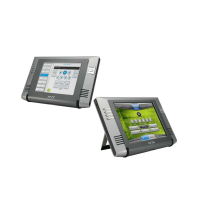
MVP-5200i Modero® ViewPoint® Touch Panel with Intercom - Instruction Manual
Button Commands (Cont.)
^BVT Set the computer control network port for the specified address.
Syntax:
"'^BVT-<vt addr range>,<network port>'"
Variable:
variable text address range = 1 - 4000.
network port = 1 - 65535.
Example:
SEND_COMMAND Panel,"'^BVT-500,5000'"
Sets the network port to 5000.
^BWW Set the button word wrap feature to those buttons with a defined address range. By default, word-wrap is Off.
Syntax:
"'^BWW-<vt addr range>,<button states range>,<word wrap>'"
Variable:
variable text address range = 1 - 4000.
button states range = 1 - 256 for multi-state buttons (0 = All states, for General buttons 1 = Off state and 2 = On state).
word wrap = (0=Off and 1=On). Default is Off.
Example:
SEND_COMMAND Panel,"'^BWW-500,1,1'"
Sets the word wrap on for the button’s Off state.
?BWW Get the current word wrap flag status.
Syntax:
"'?BWW-<vt addr range>,<button states range>'"
Variable:
variable text address range = 1 - 4000.
button states range = 1 - 256 for multi-state buttons (0 = All states, for General buttons 1 = Off state and 2 = On state).
custom event type 1010:
Flag - Zero
Value1 - Button state number
Value2 - 0 = no word wrap, 1 = word wrap
Value3 - Zero
Text - Blank
Text length - Zero
Example:
SEND COMMAND Panel,"'?BWW-529,1'"
Gets the button 'OFF state' word wrap flag status information.
The result sent to the Master would be:
ButtonGet Id = 529 Type = 1010
Flag = 0
VALUE1 = 1
VALUE2 = 1
VALUE3 = 0
TEXT =
TEXT LENGTH = 0
^CPF Clear all page flips from a button.
Syntax:
"'^CPF-<vt addr range>'"
Variable:
variable text address range = 1 - 4000.
Example:
SEND_COMMAND Panel,"'^CPF-500'"
Clears all page flips from the button.
^DLD Set the disable cradle LED flag.
Syntax:
"'^DLD-<status>'"
Variable:
status = (0= cradle operates normally, 1= forces the cradle LEDs to always be dim).
Example:
SEND_COMMAND Panel,"'^DLD-1'"
Disables the cradle LEDs.


 To Next Page
 Loading...