Programming
113
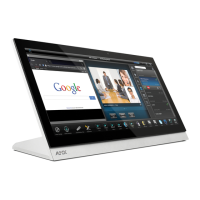
MVP-5200i Modero® ViewPoint® Touch Panel with Intercom - Instruction Manual
Panel Runtime Operation Commands (Cont.)
@PKP Present a private keypad - Pops up the keypad icon and initializes the text string to that specified. Keypad displays a '*'
instead of the numbers typed. The Prompt Text is optional.
Syntax:
"'@PKP-<initial text>;<prompt text>'"
Variables:
initial text = 1 - 50 ASCII characters.
prompt text = 1 - 50 ASCII characters.
Example:
SEND COMMAND Panel,"'@PKP-1234567;ENTER PASSWORD'"
Pops up the Keypad and initializes the text string 'ENTER PASSWORD' in '*'.
SETUP Send panel to SETUP page.
Syntax:
"'SETUP'"
Example:
SEND COMMAND Panel,"'SETUP'"
Sends the panel to the Setup Page.
SHUTDOWN Shut down the batteries providing power to the panel.
Syntax:
"'SHUTDOWN'"
Example:
SEND COMMAND Panel,"'SHUTDOWN'"
Shuts-down the batteries feeding power to the panel. This function saves the battery from discharging.
SLEEP Force the panel into screen saver mode.
Syntax:
"'SLEEP'"
Example:
SEND COMMAND Panel,"'SLEEP'"
Forces the panel into screen saver mode.
@SOU Play a sound file.
Syntax:
"'@SOU-<sound name>'"
Variables:
sound name = Name of the sound file. Supported sound file formats are: WAV & MP3.
Example:
SEND COMMAND Panel,"'@SOU-Music.wav'"
Plays the 'Music.wav' file.
@TKP Present a telephone keypad - Pops up the keypad icon and initializes the text string to that specified. The Prompt Text is
optional.
Syntax:
"'@TKP-<initial text>;<prompt text>'"
Variables:
initial text = 1 - 50 ASCII characters.
prompt text = 1 - 50 ASCII characters.
Example:
SEND COMMAND Panel,"'@TKP-999.222.1211;Enter Phone Number'"
Pops-up the Keypad and initializes the text string '999.222.1211' with prompt text 'Enter Phone Number'.
TPAGEON This command turns On page tracking, whereby when the page or popups change, a string is sent to the Master. This
string may be captured with a CREATE_BUFFER command for one panel and sent directly to another panel.
Syntax:
"'TPAGEON'"
Example:
SEND COMMAND Panel,"'TPAGEON'"
Turns On page tracking.
TPAGEOFF Turn Off page tracking.
Syntax:
"'TPAGEOFF'"
Example:
SEND COMMAND Panel,"'TPAGEOFF'"
Turns Off page tracking.


 To Next Page
 Loading...