Evaluates: MAX30001
MAX30002
MAX30001 Evaluation System
One Analog Way, Wilmington, MA 01887 U.S.A. | Tel: 781.329.4700 | © 2024 Analog Devices, Inc. All rights reserved.
Click here to ask an associate for production status of specific part numbers.
General Description
The MAX30001 evaluation system (EV system) provides
a single platform to evaluate the functionality and features
of the MAX30001 with Biopotential (ECG, R-to-R, and
Pace Detection) and Bioimpedance (BioZ) measurement
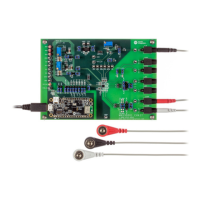
capabilities. The EV system includes a MAX30001 evaluation
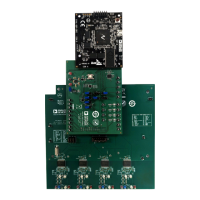
kit (EV kit) and a MAX32630FTHR Cortex-M4F
microcontroller for wearables. The MAX32630FTHR
provides power to the MAX30001 EV kit and contains the
rmware necessary to use the EV kit GUI program. The
EV kit ships with jumpers installed and supply voltages set
to typical operating values. Optional connections exist which
can be shunted to make use of dierent functionalities.
Note that the MAX30002 is register compatible with the
MAX30001. By disabling the ECG, PACE, and R-to-R
blocks, the MAX30001 is equivalent to the MAX30002
and the EV kit evaluates the MAX30002 functionality and
performance.
This EV system is not a medical device.
Features
● Convenient Platform to Evaluate the MAX30001
● Many Easy-to-Reach Test Points
● Measure Individual Supply Currents
● Touchproof Cable Connectors
● Windows
®
7/8/10 Compatible GUI software
● Fully Assembled and Tested
● Facilitates IEC 60601-2-47 Compliance Testing
● Ultra-Low-Power Design
EV System Contents
● MAX30001 EV kit
● MAX32630FTHR
● USB A to micro-USB cable
● Three (3) ECG cables
Note:
1. The GUI setup les can be obtained by the Procedure
in the Quick Start section
2. EVKIT design les are attached at the end of this
document.
319-100083; Rev 2; 4/24
Ordering Information appears at end of data sheet.
Windows is a registered trademark and registered service mark of Microsoft Corporation.
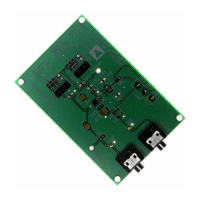
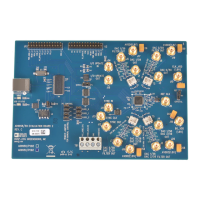
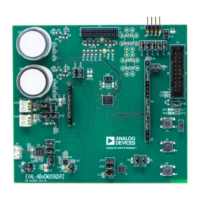
MAX30001 EV Kit Photo

 Need help?
 General


 To Next Page