EasyManua.ls Logo

Analog Devices EVAL-ADE9113 - User Manual

Analog Devices EVAL-ADE9113
18 pages
Print Icon
To Next Page IconTo Next Page
Loading...
User Guide | EVAL-ADE9113
UG-2174
Evaluation Board for the ADE9113 Isolated Sigma Delta ADC with SPI
PLEASE SEE THE LAST PAGE FOR AN IMPORTANT
WARNING AND LEGAL TERMS AND CONDITIONS.
Rev. 0 | 1 of 18
FEATURES
Full featured evaluation board for the ADE9103, ADE9112, and
ADE9113
PC control in conjunction with the system demonstration platform
(EVAL-SDP-CB1Z)
PC software for control and data analysis (time and frequency
domain)
Standalone capability
EVALUATION KIT CONTENTS
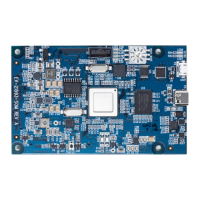
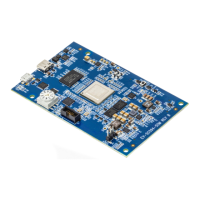
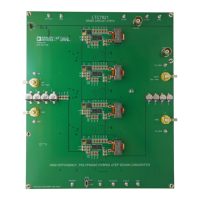
EVAL-ADE9113EBZ evaluation board
SDP-B adapter board
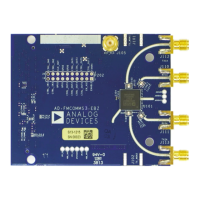
MCU adapter board
ADDITIONAL EQUIPMENT NEEDED
EVAL-SDP-CB1Z (must order separately) includes a USB cable
User-selectable microcontroller board (not included)
3 current sensing shunts
Precision current and voltage signal source
PC running Windows 7, Windows 8.1, or Windows 10 with a USB
2.0 port
ONLINE RESOURCES
ADE9103/ADE9112/ADE9113 data sheet
ADE9103/ADE9112/ADE9113 evaluation software (EVAL-
ADE9113KTZ SW)
Design and integration files: schematics, layout files, and bill of
materials
GENERAL DESCRIPTION
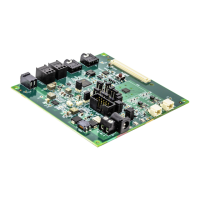
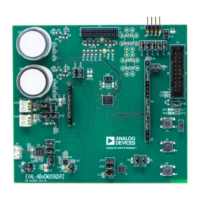
The EVAL-ADE9113KTZ evaluation kit includes two boards that
work together (along with the EVAL-SDP-CB1Z) to evaluate the
performance of the ADE9113 isolated Σ-Δ analog-to-digital convert-
er (ADC) in a context close to an actual 3-phase meter implementa-
tion. Although this kit can also be used to test the similar functional-
ity of the ADE9103 and ADE9112 ADC, the EVAL-ADE9113KTZ is
populated with only ADE9113 devices and thus only the ADE9113
is referred to in this user guide. Evaluation software, written in
LabVIEW
®
, provides access to the registers of every ADE9113
using a PC interface. Additionally, the microcontroller unit (MCU)
adapter board is compatible with an Arduino
®
shield type connector,
allowing custom firmware development or use of the reference code
with the Nucleo-F103RB.

Questions and Answers

  • D
    Dr. Kathleen FigueroaAug 11, 2025
    What to do if Analog Devices EVAL-ADE9113 dashboard displays HW link broken?
    • L
      lucaspierceAug 11, 2025
      If the Analog Devices Motherboard dashboard displays 'HW Link Broken', it means the connection between the PC and the SDP-B was lost, or the test R/W failed. First, check the hardware connection between the PC, SDP-B, SDP interface board, and EVAL-ADE9113EBZ to ensure it is properly connected. Next, verify that the jumpers are correctly installed according to the communication mode selected on the Dashboard. Finally, restart the EVAL-ADE9113KTZ SW and try connecting again.
  • E
    edwardperezAug 17, 2025
    What to do if Analog Devices EVAL-ADE9113 displays test R/W failed?
    • C
      Carrie BeckerAug 17, 2025
      If the Analog Devices Motherboard displays 'Test R/W Failed: Check if correct SPI mode is selected and clocks are enabled!' it means the communication check to all four ADE9113 devices failed while establishing connection between the software and the hardware. First, check that the SDP interface board and the EVAL-ADE9113EBZ boards are properly connected via the 26-pin connector. Next, make sure the jumper configuration matches the communication mode selected on the Dashboard. Finally, restart the EVAL-ADE9113KTZ SW and connect to it again.
  • C
    Carrie OrtizAug 23, 2025
    Why Analog Devices Motherboard power LED does not turn on?
    • A
      Allison WilliamsAug 23, 2025
      If the power LED on your Analog Devices Motherboard does not turn on when the USB is connected, it means the SDP-B is not receiving power. First, check if the cable is properly connected to both the PC and the SDP-B. If it still doesn't work, try a different USB cable. If the issue persists, the SDP-B may be broken.
  • C
    clarkamandaAug 28, 2025
    What to do if VDDLED does not turn on for Analog Devices Motherboard?
    • D
      david31Aug 28, 2025
      If the VDDLED does not turn on, it indicates that the SDP interface board is not receiving power. To fix this: 1. First, make sure that the SDP-B is powered up. 2. Then, check that the SDP-B and the SDP-B adapter board are properly connected via the 120-pin connector. 3. Finally, verify that the jumper on P2 is installed.
  • R
    Robert BurnettSep 3, 2025
    What to do if IRQA, IRQB, IRQC, and/or IRQN do not light up on Analog Devices Motherboard?
    • E
      Erin SandovalSep 3, 2025
      If IRQA, IRQB, IRQC, and/or IRQN do not light up on startup even though VDDLED is on, it means the IRQ pin on the corresponding ADE9113 devices is floating or high. To solve this, check that the SDP interface board and the EVAL-ADE9113EBZ boards are properly connected via the 26-pin connector.

Analog Devices EVAL-ADE9113 Specifications

General IconGeneral
Supported DeviceADE9113
Device EvaluatedADE9113
InterfaceSPI
Operating Supply Voltage3.3V
Operating Temperature Range-40°C to +85°C
PackageLFCSP
ProductEvaluation Board
FunctionEnergy Metering

Related product manuals