28
7.2.2 Audio
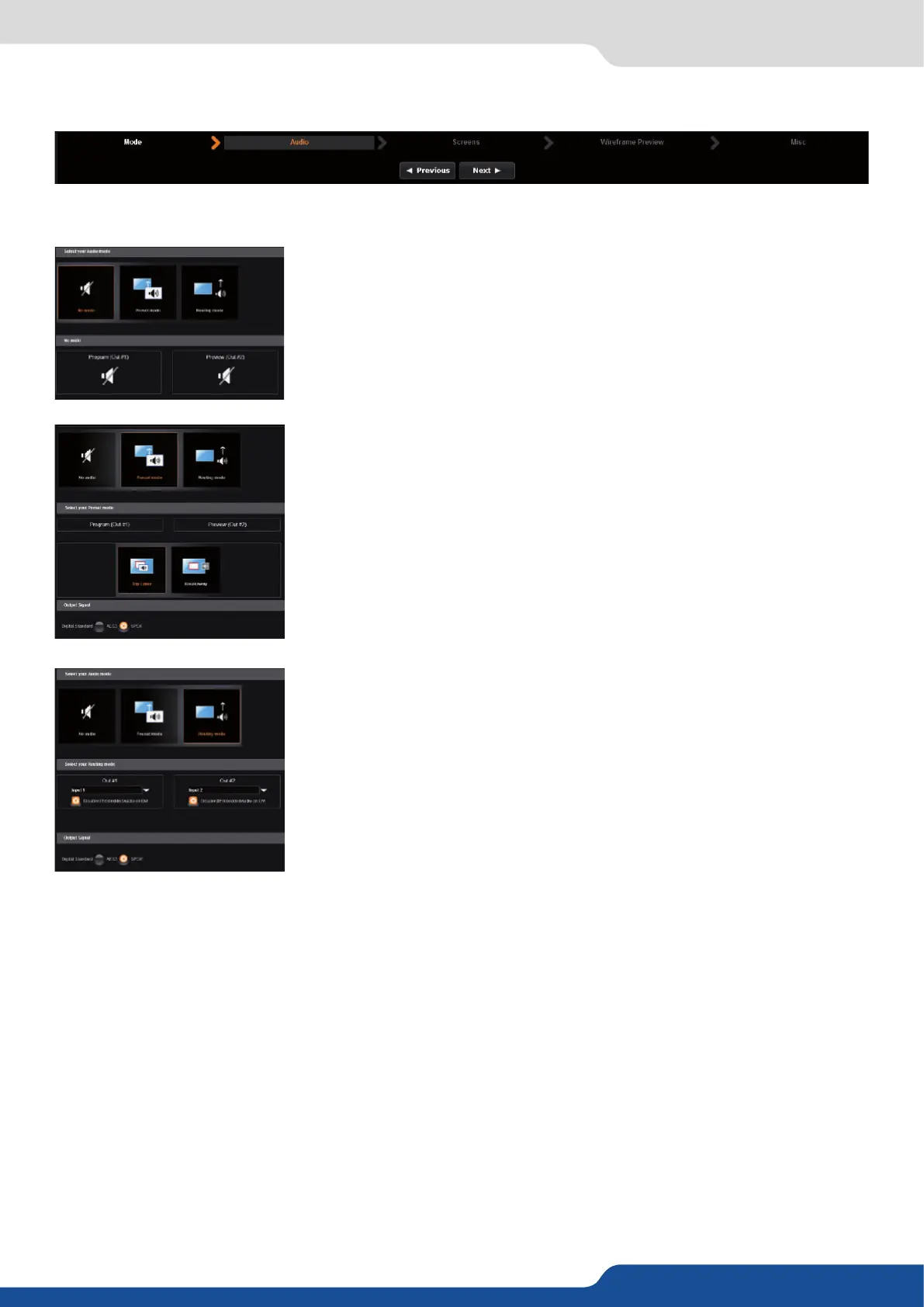
In this secon, you will setup the audio of your device, you have several modes. In all modes, you have the
possibility to output the audio in AES3 or SPDIF:
NO AUDIO: the audio of your device is switched o
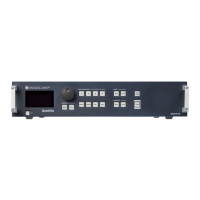
PRESET MODE: the standard mode of use of the device
You have two possibilies:
the sound on the output will follow the audio input of the top
layer.
• Breakaway: when breakaway is acvated, the audio on the output is
memorized into the preset. A change of preset, changes the audio on the
output. A change of content into a video layer has no eect on the audio.
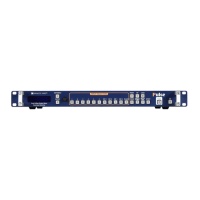
ROUTING MODE: in this conguraon, simply choose an audio input to
assign it to the output. The audio conguraon remains the same during
the show.
In this example input1 is on out1 and input 2 is on out 2.


 To Next Page