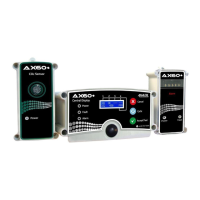
O2NE+ & Safe-Ox+
User Manual Int. Approved
Document ref: P0120-820-14 August 2017 Page 15 of 23
Commercial in Confidence
2) Enter Technician Mode by pressing the mode switch 3 times. If entered successfully
the green LED will flash off for 1.5 seconds and on for 0.5 of a second.
3) Select auto calibration by pressing the mode switch 4 times. The 2 Red Alarm LED’s
will light up to show you are now in this mode.
4) Press the mode switch 2 times to start the Auto Calibration, the Red Alarm LED’s will
turn off and the Green LED will continue to flash.
5) Wait one minute for the instrument to adjust. When the instrument has a new
calibration value, the buzzer will sound one bleep and all the LED’s will be off.
6) Accept this new calibration value by pressing the mode switch 2 times. The green
LED will flash to show the instrument has accepted the new oxygen value.
To return to normal operation, press the mode switch once. The LED’s and buzzer will illuminate
/ sound 4 times before returning to normal operation.
If, during the one minute wait period, the red or amber LED’s are illuminated consult the table
below.
Note: If at any time you send the wrong instruction and would like to abort, press the mode
switch once and wait 20 seconds, this should bring you back to technician mode. Press the
mode switch once again, this should bring you back to normal operation, the LED’s and buzzer
will illuminate/sound 4 times. Alternatively, disconnect the power supply to the Ax
O2NE+™/Safe-Ox+™, wait a moment and re-connect power.
6.3 Alarm checks
To verify that the indicators and the audible alarms are working, press the Mode switch on the
Ax O2NE+™/Safe-Ox+™ or any of its repeaters. The indicators and the audible alarm will
pulse four times.


 To Next Page