34
8.1 COMPRESSOR OIL HEATING
8 START-UP
CH0305-F05
8.1
1
2
3
4
This operation is not necessary
CHALLENGE -E serie chambers.
Never start a temperature cycle
immediately after start-up.
First heat the compressor oil otherwise
serious damage could be caused.
• Turn on the main switch (isolator switch) on
the machine.
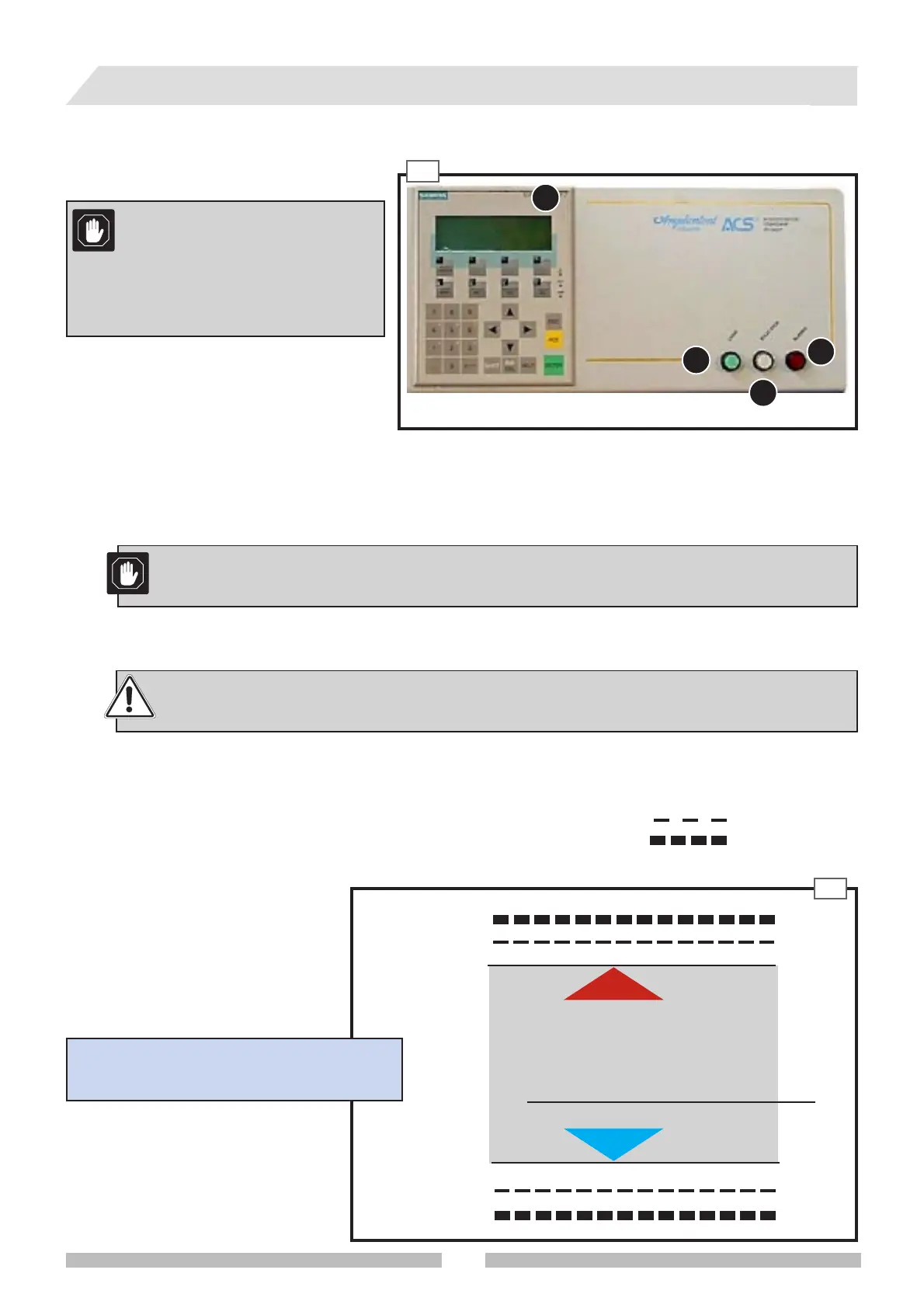
• Press the START/STOP button 1 (fig. 8.1).
If the machine has not been operated for over 48 hours:
• Wait 8 hours before starting a temperature cycle.
• The oil heating system will switch off automatically.
If the machine has not been operated for less than
48 hours:
• Wait for about 1-2 hours before starting a temperature
cycle.
• The oil heating system will switch off automatically.
In order to avoid dead time due to compressor oil heating, leave the machine with the main
switch pointing to l (ON) and the START/STOP key pointing to START (lamps lights).
• Check that the mains supply voltage is the same as the one marked on the rating plate.
8.2 ALARM SET-UP
Always set the relevant software and hardware alarm devices before carrying
out a temperature cycle.
Set-up of temperature alarms should be carried out preferable before programming, recalling or carrying out a work
cycle. The machine has three alarm levels:
• Software alarms (paragr. 8.2.1) for maximum and minimum temperature
• Hardware alarms (paragr. 8.2.2) for maximum and minimum temperature
• Fixed alarm for maximum temperature (paragr. 8.2.3)
Theoretical diagram of positions of soft-
ware and hardware alarms
maximum temperature software alarm
minimum temperature software alarm
minimum temperature hardware alarm
maximum temperature hardware alarm
WORKING
CYCLE
MIN cycle°C
0°C
MAX cycle °C
8.2



 To Next Page