12
• Charge the Parent Unit.
WEAK RECEPTION
• Bring units closer together.
• Change the position of one or both units.
• Place units on a flat surface away from baby’s reach.
• Recharge the Parent Unit.
STATIC, DISTORTION, INTERFERENCES FROM OTHER MONITORS, WIRELESS PHONES,
WALKIETALKIES, ETC.
• Rotate Parent Unit or move it away from source of interference.
FEEDBACK LOUD NOISES EMITTED FROM THE PARENT UNIT
• Move units further apart (at least 3 metres).
• Decrease volume on Parent Unit.
THE PARENT UNIT SCREEN IS BLACK PARENT UNIT IS OFF
• Turn the Parent Unit back ON by pushing and holding the POWER ON/OFF button for 2 seconds.
• Recharge the Parent Unit.
MOVEMENT SENSOR PAD NO ALARM
• Sources of vibration & movement other than your baby’s can be detected by the Sensor Pad and the alarm will not
sound.
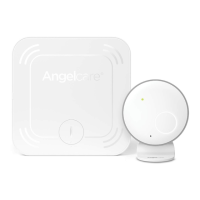
• Refer to Warnings 3 to 11 and see STEP 4, TEST THE SENSOR PAD.
MOVEMENT SENSOR PAD FALSE ALARMS
• Replace the Sensor Pad battery CR2450.
• Turn OFF the Nursery Unit.
• Sensor Pad False alarms may happen for several reasons, always be sure to immediately check on baby whenever an
alarm sounds:
- Nursery Unit has not been turned OFF after you have removed your baby from the cot
- Make sure there is no bedding between the mattress and the Sensor Pad
- Sensor Pad has not been placed under the mattress properly. Be sure the Sensor Pad is on a flat, firm surface
with the printed side facing up
- e sensitivity level may also need to be adjusted
• Refer to Warnings 3 to 11 and see STEP 4, TEST THE SENSOR PAD.
NO SOUND IS BEING TRANSMITTED:
• Check that both units are powered ON.
• Check that Parent Unit is not on MUTE.
HOW TO CHECK THE PARENT UNIT BATTERY:
• Unplug the adaptor from the Parent Unit and check the battery level indicator.
CFO4C_ANGE_Manuel_AC527_ROW.indd 12 19-02-05 09:32


 To Next Page