05 EN
• Audio:
Go to System Preferences > Sound > Sound Effects / Output / Input
• Microphone:
1. Go to System Preferences > Security & Privacy, then choose Microphone from the
left side list.
2. Locate the app(s) you want to enable microphone access for and check the box
alongside that app name to enable microphone access for that application.
• Camera:
1. Go to System Preferences > Security & Privacy, then choose Camera from the left
side list.
2. Locate the app(s) you want to enable camera access for and check the box
alongside that app name to enable camera access for that application.
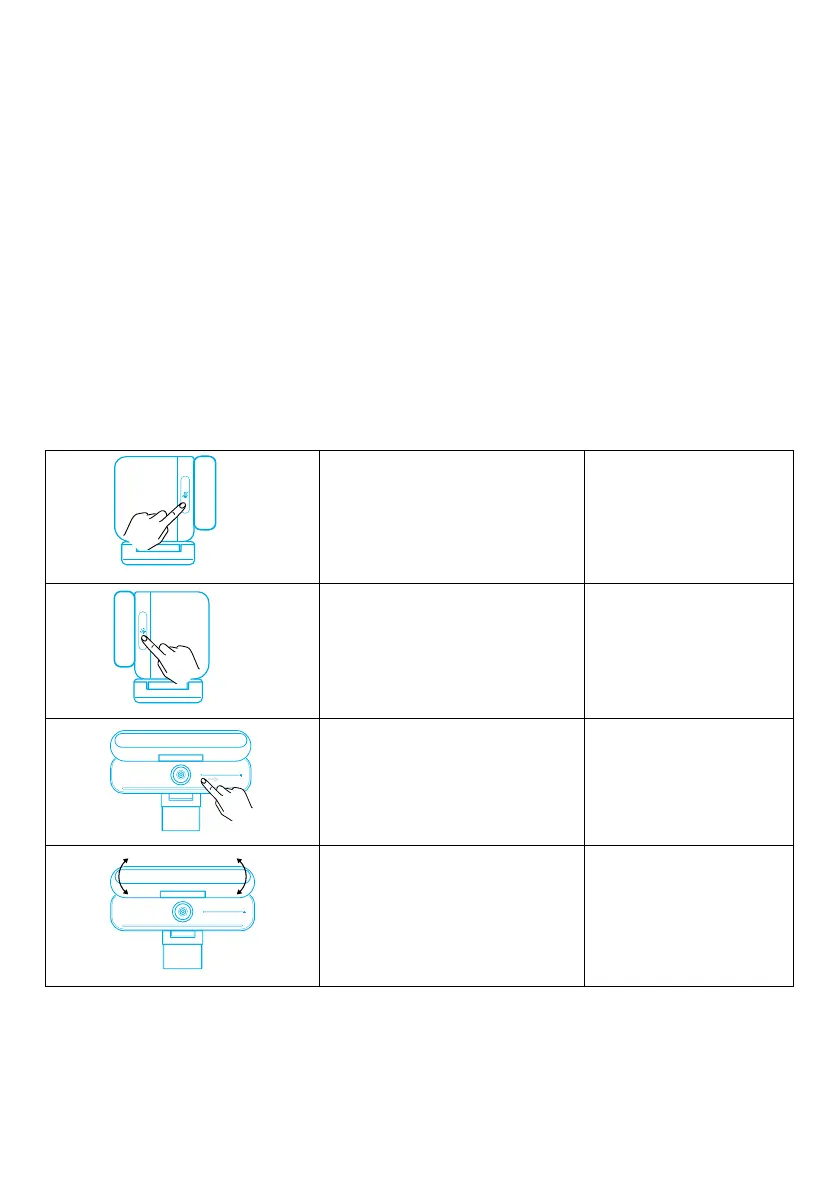
Controls
Mute / unmute microphone Touch once
Turn edge light on / off Touch once
Adjust brightness Slide
Open / close privacy cover Rotate


 To Next Page