EN 6867 EN
Manual Mode:
①
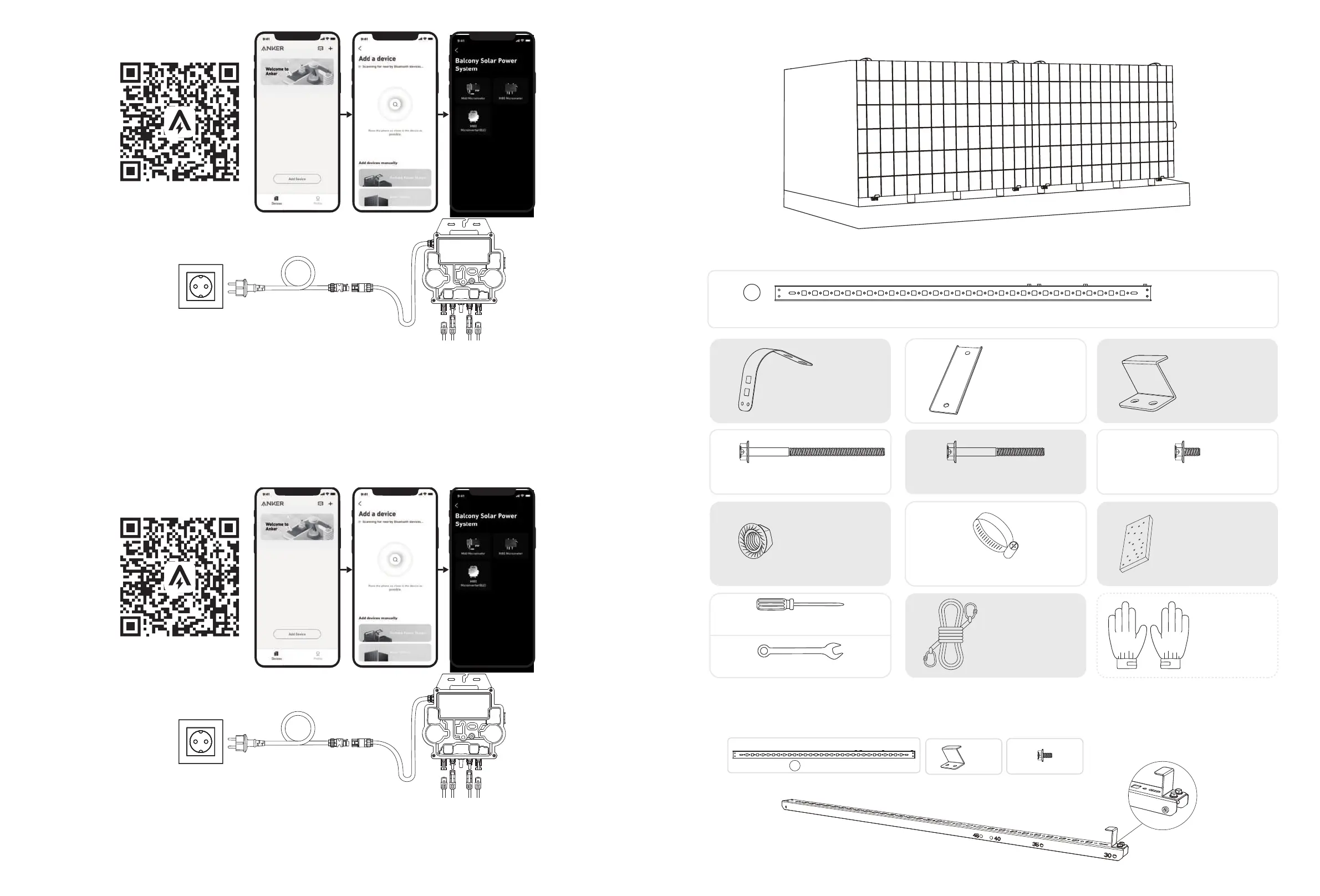
Scan the QR code or search "Anker" on the App Store, Google Play, or other ocial app stores to download the app.
②
Sign up/log in to your Anker account.
③
Tap Add Devices/+ > Balcony Solar Power System > MI80 Microinverter (BLE).
④
Follow the in-app instructions and tap The device has been reset.
⑤
Select your home's Wi-Fi, enter the password, then click the Next button. You will be directed to the Scanning page. Wait a moment.
⑥
If you are redirected to the No Devices Found page, press the Retry Now button, then repeat step 4.
⑦
If you are redirected to the Added Successfully page, the configuration is complete. You can also revise the device name on
this page.
16. For your privacy and security, the microinverter will automatically turn o Bluetooth after commissioning
is finished. You can turn on the microinverter's Bluetooth again by disconnecting and reconnecting the DC
wires. Follow the above steps to complete commissioning within 15 minutes.
Option 2: 0° Inclination Angle
What You Need
Solar Panel Support Beam (×4)
A
mm
1200
HG I
D
E
F
J
K
L
U-Shaped Rack (×4)
M6×100 Hexagon Flange Bolt (×16) M6×65 Hexagon Flange Bolt (×12) M6×12 Hexagon Flange Bolt (×26)
Fastening Clamp (×8)
Limit Support (×4)
M6 Flange Nut (×20) 304 Stainless Steel Hose Clamp (×10)
Silicone Buer Pad (×4)
M
N
O
Phillips Screwdriver
Hexagon Wrench
Mounting Auxiliary Rope Work Gloves
(Not included)
1. Attach the limit supports to the numbered end of the solar panel's support beams.
Note: Make sure that the direction of the limit support is up, as shown in the figure.
F x2
Limit Support
I x4
M6×12 Hexagon Flange Bolt
A x2
Solar Panel Support Beam
mm
1200


 To Next Page