Page 9 of 20
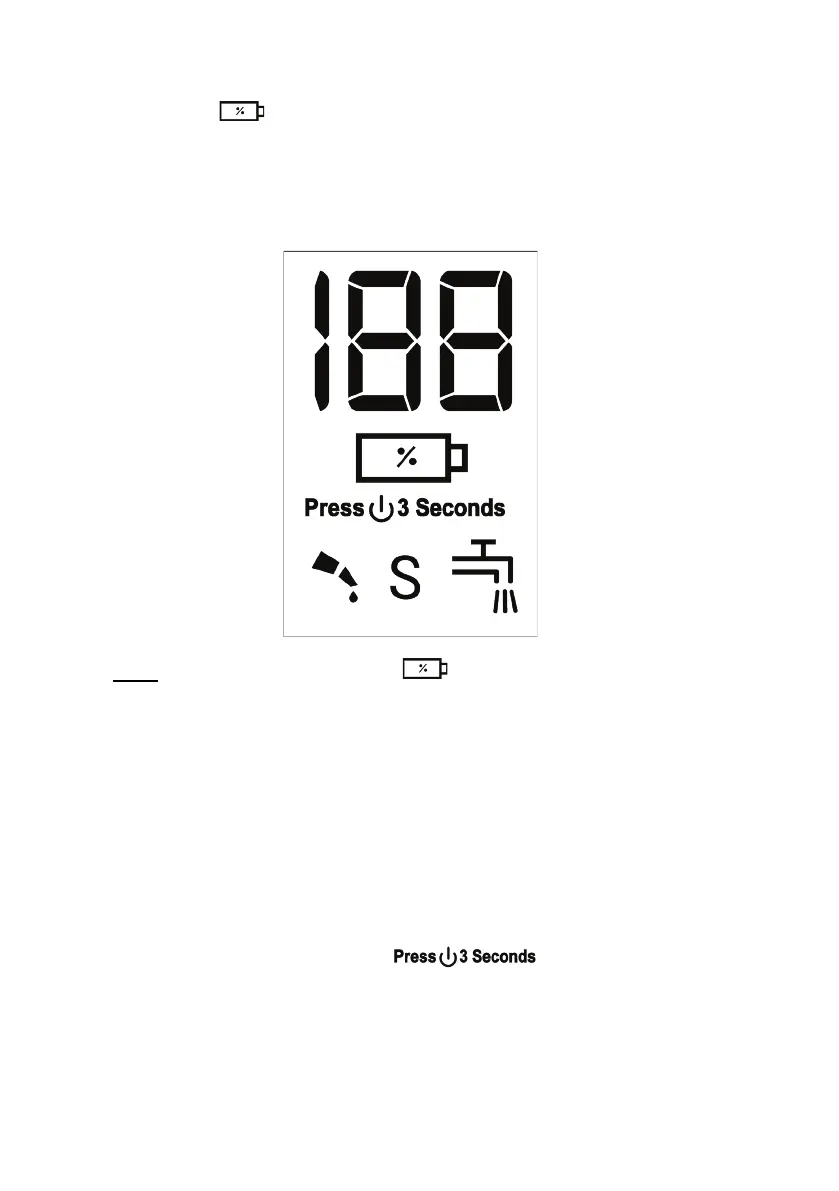
• The LED numerical display will light up and indicate the level of charge and
the symbol “ “ will illuminate Red colour indicating the battery is charging.
• When fully charged, the LED numerical display will show “100".
• Unplug the USB charging cable from the appliance.
Note: During use, the Symbol “ “ will illuminate white colour and will
then change to a flashing red when the battery needs recharging.
The Symbol will start to flash at approximately 10% battery remaining.
4 Lock Function
The appliance comes with a Lock function which prevents the appliance from
turning on if the On / Off button is accidentally pressed, especially while
travelling.
• To activate this function, press and hold the On / Off button for approximately
3 seconds until the wording “ ” illuminates on the LED
display and then release the On / Off button.
• To Unlock the appliance, press and hold the On / Off button for
approximately 3 seconds until the appliance starts.



 To Next Page