Rev 05/12/21 pg. 11
Instrument Installation
Site Requirements
To install and operate the ANKOM
2000
Fiber Analyzer you will need the following:
• Adjustable wrench
• Water supply located within 6 feet (3 meters) of the ANKOM
2000
and capable of heating water to 50°C for
Crude Fiber and 70°C for ADF/NDF analyses
• Adequate power (see “Operating Environment” section)
• Drain
Instrument Installation Procedure
To install the ANKOM
2000
Fiber Analyzer, follow the procedure detailed below.
Remove the instrument from the shipping container and place it in an area that is within 6 feet of a drain
and water supply on a surface that is firm and level. The instrument must not be subject to excessive
shock, vibration, dirt, moisture, oil, or other fluids.
Do NOT place this instrument near microwave ovens or mechanical devices.
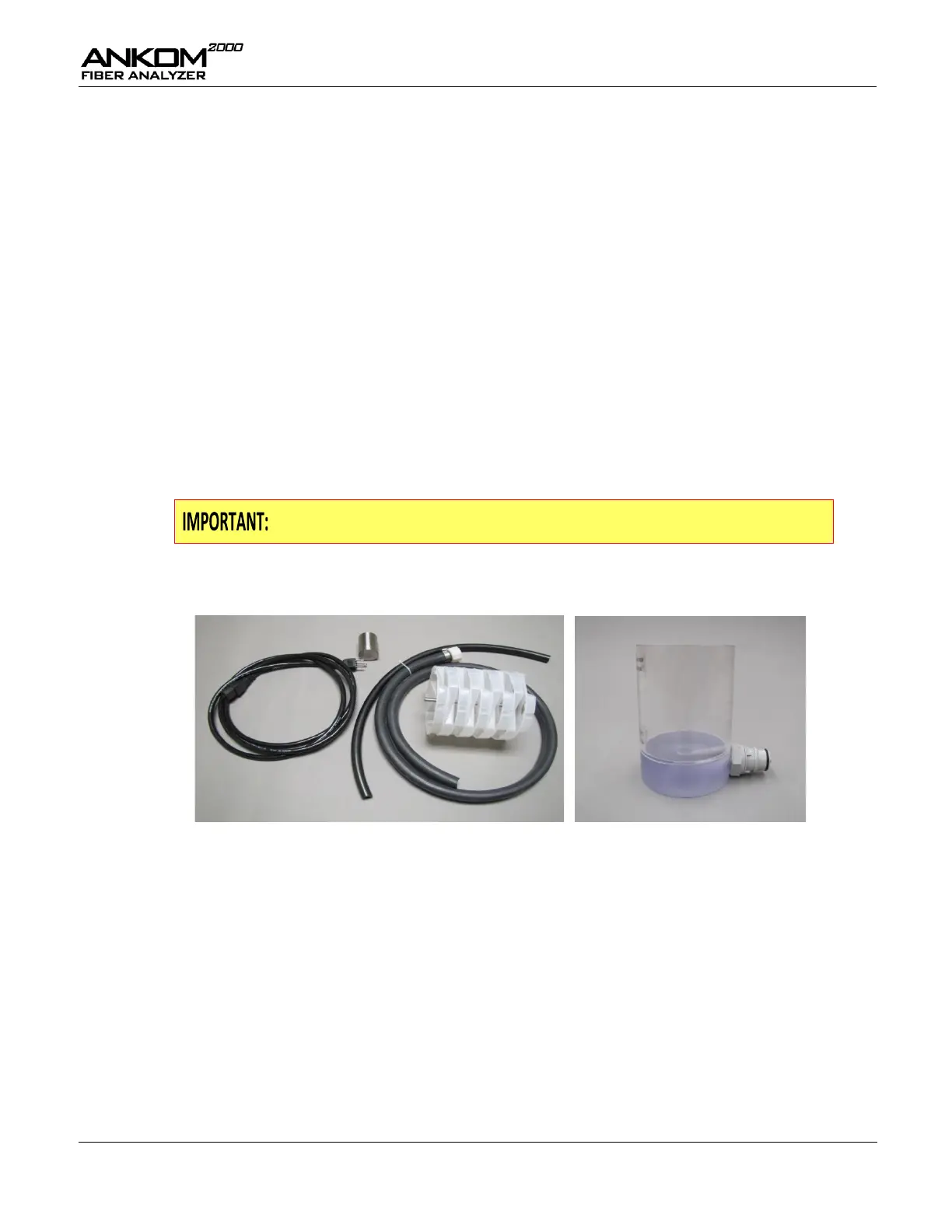
Your instrument comes complete with a Power Cord, a Drain Hose, a Vent Tube, a Bag Suspender
Assembly (including Bag Suspender Trays and a Bag Suspender Weight), and an Amylase Container.
With the Power Switch in the OFF position, plug the Power Cord into the Power Cord Inlet on the
instrument.
Plug the Power Cord into the power source.
Install the Water Filter assembly. Attach ¼” copper tubing to the hot water source (+50°C Crude Fiber,
+70°C ND and AD) and to the Water Supply Fitting located on the left side of the instrument.
Connect and secure the Drain Hose so that it will not move when hot pressurized fluid is exhausted.


 To Next Page