EasyManua.ls Logo

Anntlent AN-CPAL70 Plus - User Manual

Anntlent AN-CPAL70 Plus
11 pages
Print Icon
To Next Page IconTo Next Page
Loading...
1/11
AN-CPAL70 Plus
Cell Phone Signal Booster
User Manual

Questions and Answers

Summary

Introduction

Features

AGC (Automatic Gain Control)

Controls downlink signal gain and interference reduction automatically.

Self Oscillation Elimination

System detects and eliminates self-oscillation to prevent interference.

Inactivity Mode

Device enters standby mode to save energy when not in use.

Safety Warnings

General Safety and FCC Cautions

Covers installation distance, FCC compliance, RF exposure, and proper operation.

Compliance and Handling Precautions

Covers not removing covers, no repairs, and warranty voidance due to alteration.

Package Contents

Included Items

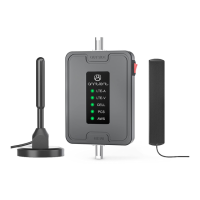
Lists the booster, power adapter, mounting kits, manual, and antennas/cables.

Booster Interface Description

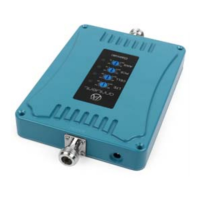
Explains the ports, power jack, LED lights, and gain control knob.

Antennas and Cables

LED Indicator and Booster Working Conditions

Describes LED lights indicating normal, weak signal, AGC, self-oscillation, and power status.

Power Supply and Port Details

Specifies power input range and function of INDOOR/OUTDOOR ports.

Authorized Antennas and Cables

Lists models, gain/loss for indoor and outdoor antennas, and cables.

Cable Specifications

Details specifications for indoor and outdoor coaxial cables.

Installation Instructions

Outdoor Antenna Installation

Guides on selecting location, testing signals, and positioning the outdoor antenna.

Outdoor Antenna Placement and Testing

Covers signal strength testing, placement advice, and line-of-sight considerations.

Antenna Direction and Isolation

Discusses antenna direction, isolation between indoor/outdoor antennas, and operator balance.

Outdoor Antenna Connection and Notes

Details connection, interference avoidance, and isolation requirements.

Addressing Self-Oscillation

Explains how distance/barriers prevent signal feedback and self-oscillation.

Indoor Antenna Installation

Guides on selecting location, antenna types, and placement for the indoor antenna.

Indoor Antenna Connection

Details connecting the indoor antenna to the booster.

Booster Installation and Notes

Booster Transmission Notes

Covers antenna height limitations and potential FCC enforcement for specific bands.

Booster Installation Guidelines

Provides advice on placement, environment, and power connection for the booster.

Power Supply Warning

Warns against using incorrect voltage power supplies to prevent damage and injury.

Troubleshooting and Support

LED Not Light Troubleshooting

Steps to diagnose and resolve issues when the device LED is not illuminated.

Booster No Effect Troubleshooting

Diagnoses issues like incorrect connection, frequency, or poor signal strength.

Booster Effect Not Ideal Troubleshooting

Addresses issues like self-oscillation and suggests solutions like increasing distance.

Mobile Phone Call Issues

Explains that poor calls may indicate self-oscillation and suggests solutions.

Interference Resolution

Suggests moving the booster away from other electronic devices to resolve interference.

Contacting Support

Provides contact methods (email, website) for customer support and company information.

Consumer Booster Information

Device Registration and Consent

Requires device registration with the wireless provider for consent and operation.

Approved Antennas and Cable Usage

Mandates the use of manufacturer-approved antennas and cables, with installation distance.

E911 Location Information

Warns that E911 location information may be inaccurate or unavailable.

Fixed Location Operation

Specifies that the device must be operated only in a fixed location for in-building use.

Wireless Provider Registration Links

Provides online registration links for T-Mobile and Verizon Wireless for signal boosters.

Warranty

Warranty Information

Details warranty period (2 years), service type, and company non-responsibility for shipping costs.

What This Warranty Covers

States that the machine is free from defects and conforms to specifications.

Warranty Exclusions

Lists conditions like misuse, accident, modification, or improper maintenance that void the warranty.

Copyright Information

Provides copyright details and a disclaimer about document information changes.

Anntlent AN-CPAL70 Plus Specifications

General IconGeneral
Frequency Range698-716/728-746/776-787/746-757/824-849/869-894/1710-1755/1850-1915/1930-1995/2110-2155 MHz
Max Transmission Power20dBm
Antenna Gain5 dBi
Storage Temperature-40°C to 85°C
Humidity5~95%RH

Related product manuals