This document outlines the features, installation, and troubleshooting for the AN-L70V-01 Cell Phone Signal Booster, a device designed to enhance mobile communication in areas with weak signal coverage.
The primary function of this booster is to improve weak RF signals, thereby enabling smoother calls and more stable data transmission in locations where mobile phone signals are typically poor. It operates by receiving a weak signal from an outdoor antenna, amplifying it, and then retranstransmitting it via an indoor antenna. The efficiency of this process is directly influenced by the strength of the signal received by the outdoor antenna.
Key usage features of the AN-L70V-01 include Automatic Gain Control (AGC), which automatically reduces uplink and downlink gain to minimize interference when the output signal is too strong or self-oscillated. It also incorporates a Self-Oscillation elimination feature, where the system detects self-oscillation, reduces link gain, and then re-evaluates the loop. If self-oscillation is eliminated, the system returns to normal operation; otherwise, power is turned off to prevent interference. An Inactivity Mode is also integrated, which switches off the uplink power amplifier when no user calls are detected, reducing static power consumption by 30% for energy saving.
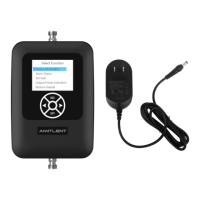
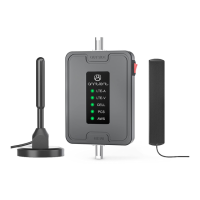
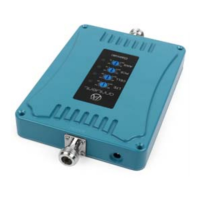
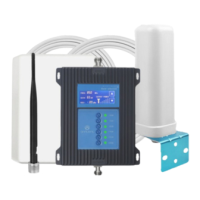
The booster's interface includes an LED light that indicates various working conditions. A continuous green light signifies normal operation, while a twinkling green light suggests that input signals might be insufficient. A continuous yellow light indicates strong input signals and active AGC, and a twinkling yellow light points to self-oscillation with AGC working. A continuous red light means the power supply is shut down, and a twinkling red light indicates self-oscillation even with the power supply active. The device uses a DC 5-12V power input via a dedicated power supply jack. It also features distinct "INDOOR" and "OUTDOOR" ports for connecting the respective antennas.
For optimal performance, the installation process requires careful consideration of antenna placement. The outdoor antenna should be installed in a location where the mobile phone displays full bar signals, and calls or data transmissions are smooth and stable after multiple tests. For buildings with fewer than seven floors, the top of the building is recommended for the outdoor antenna. For buildings with more than seven floors, a balcony or platform below the seventh floor is suggested, as mobile signals tend to be cleaner at lower elevations. The outdoor antenna should ideally point towards the cell tower, maintaining a line of sight for best results. It is crucial to install the outdoor and indoor antennas in opposite directions to prevent self-oscillation. If they must be in the same direction, thorough signal quality testing and self-oscillation avoidance are necessary. If a directional antenna is used, its main angle should point towards the tower antenna. Adjusting the outdoor antenna's direction or position may be required to achieve the best calling effect, especially if performance is poor due to weak signals or call quality issues. The wideband booster supports various mobile operators and systems, so the outdoor antenna direction should be adjusted to balance signals from different providers.
The outdoor antenna must be connected to the "OUTDOOR" port using a 10-meter 3D-FB Coaxial cable with an N male connector. It is important to keep the outdoor antenna away from metal objects, high-voltage lines, RF antennas, and high-voltage transformers to avoid interference. Sufficient isolation between the outdoor and indoor antennas is critical to prevent self-oscillation, with a minimum distance of 10 meters and opposite directions being recommended. If adequate distance cannot be achieved, physical barriers like building roofs can help increase isolation.
For the indoor antenna, proper selection based on site conditions and requirements is essential. Omni antennas (ceiling omni or whip antennas) are suitable for central installation to radiate in all directions. For long and narrow coverage areas, a directional panel antenna is preferable. The indoor antenna must be operated at a fixed location inside a building and connected to the "INDOOR" port using a 20-foot 3D-FB Coaxial cable with an N male connector.
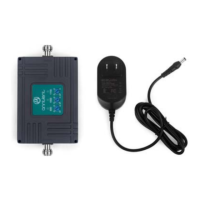
The booster itself should be installed in a cool, dry, and ventilated room, away from direct sunlight, abrupt temperature changes, humidity, erosive gases, and smoke. The power adaptor should be connected to the booster and then to a power outlet. It is crucial to use only a 5-12V DC power supply, as using an incompatible power supply can damage the booster and potentially injure the user.
Troubleshooting common issues includes checking the power adaptor and outlet if the LED is not lit. If the booster has no effect, users should verify antenna connections, ensure the frequency band is correct for their mobile operator, confirm proper installation of both antennas, and ensure a stable 3-bar signal at the outdoor antenna's location. If the house has a metal roof, the outdoor antenna should be placed at least 3 meters above it. If the booster has some effect but is not ideal, it may indicate a very weak outdoor signal, in which case a higher gain booster or antenna might be needed. If the mobile phone receives a full signal but calls cannot be made, it usually signifies self-oscillation, requiring increased distance or physical separation between the indoor and outdoor antennas. If the booster interferes with other electronic devices, moving it further away may resolve the issue.
The device is a CONSUMER device and requires registration with the user's wireless provider, who must consent to its use. It must be operated with approved antennas and cables, with antennas installed at least 20 cm from any person. Operation must cease immediately if requested by the FCC or a licensed wireless service provider. The device is for fixed, in-building use only. E911 location information may be inaccurate for calls made using the device.
The product comes with a 2-year warranty covering defects in materials and workmanship, and conformity to ANNTLENT's official published specifications. The warranty period begins on the original installation date. The warranty does not cover failures due to misuse, accident, modification, unsuitable operating environment, or improper maintenance. The warranty is void if identification labels are removed or altered.


 To Next Page
 General