4
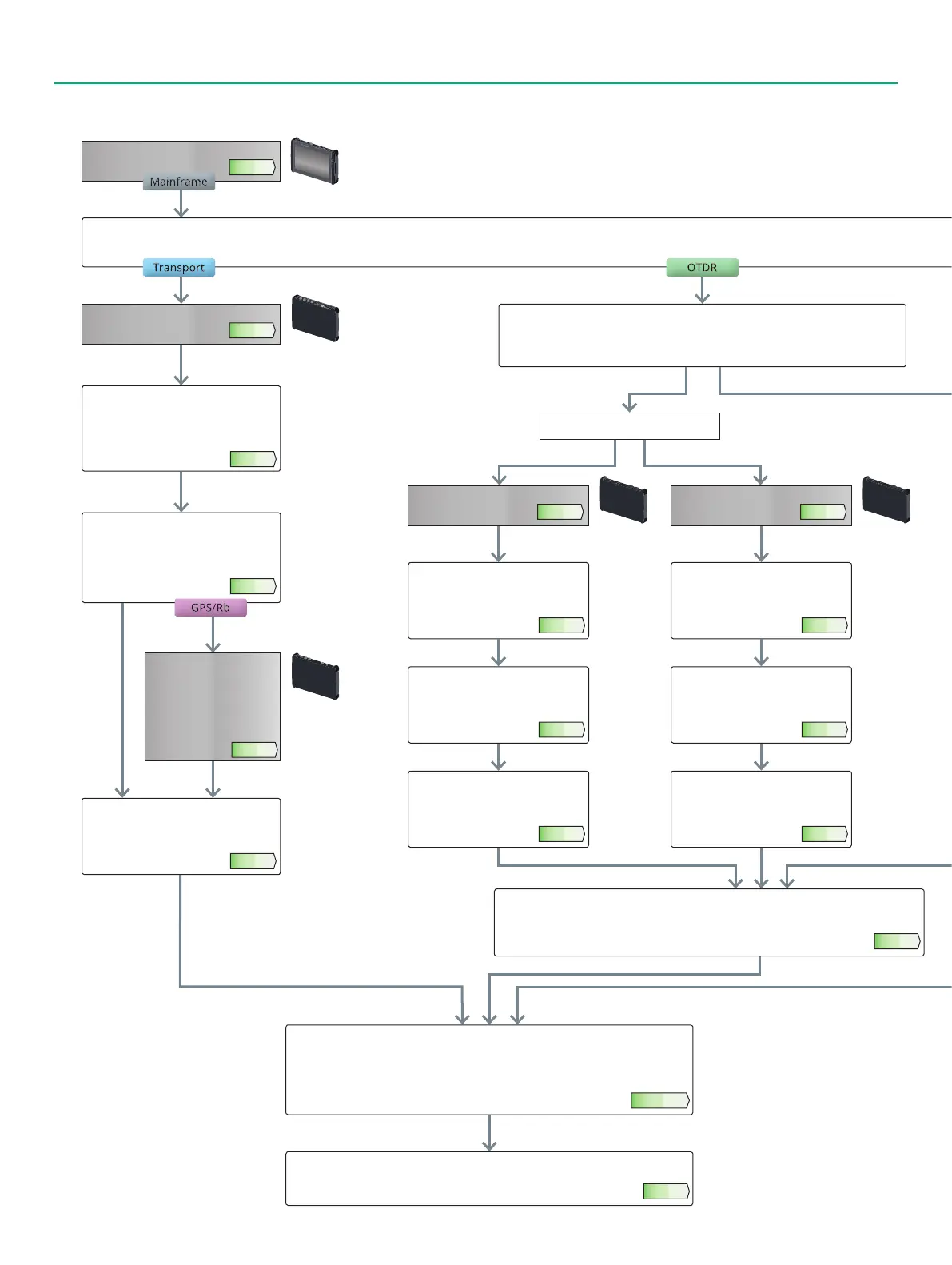
Use this flowchart to select options when purchasing a new MT1000A.
New Purchase Flowchart
Select testing requirements
Select Protocol
Select the model for choosing the
measurement protocol port number,
options, etc., from 1-1-1 Selecting
Protocol Options.
Page 6
Select Optical Fiber
Select the type of optical fiber to measure
(4, 5) Single Model only
(6) Both Single and Multimode fiber
Select Optical I/F
Select the model for choosing the optical
module frequency and bit rate from
1-1-2 Selecting Optical Transceiver (for
Transport Module).
Page 7
Select Transport Test Options
Select the model for choosing the
required options from 1-3 Selecting
Transport Test Option.
Page 8
Choose synchronization
measurement accuracy
If network phase
measurement required,
choose model described in
1-2 Choosing High-Accuracy
Oscillator Option.
Page 8
Selecting Main Frame Application Parts
Select the main frame application parts from 4-1 MT1000A Selecting Common
Application Parts.
Select the model for the extended hardware warranty from 4-2 MT1000A Selecting
Extended Warranty Services.
Page 14, 15
Record the purchased model and name in the MT1000A configuration confirmation
order sheet.
Page 24
Select Dynamic Range
Select the model with the required
test wavelength and dynamic range
from 2-1-1 Selecting Dynamic Range.
Page 9
With/Without Visible Light Source
Select the model with built-in visible
light source if required from 2-1-3
Selecting Visible Light Source Option.
Page 9
Selecting OTDR Test Options
Select the models with the option choices from 2-4-1 OTDR Module Conversion Connector
Adapters, 2-4-2 Optical Fiber Conversion Adapters, and 2-4-3 Others.
Page 12
Select Connector
Select the model with the required
connector type from 2-1-2 Selecting
Polish Type/Connector Adapter.
Page 9
Select Dynamic Range
Select the model with the required
test wavelength and dynamic range
from 2-3-1 Selecting Dynamic Range.
Page 11
With/Without Visible Light Source
Select the model with built-in visible
light source if required from 2-3-3
Selecting Visible Light Source Option.
Page 11
Select Connector
Select the model with the required
connector type from 2-3-2 Selecting
Polish Type/Connector Adapter.
Page 11
MT1000A
Page 3
Choose MU100010A
Page 6
Choose MU100020A
Page 9
Wavelength select
Choose MU100022A
Page 11
(4, 5) Single Model only
(4) 2 Wavelength (5) 3 Wavelength
(6) Both Single and Multimode fiber
(1) Confirming comms quality such as OTN, Ethernet, etc. (2) Checking optical fiber breaks and quality
Unit size:
1U/4U
Unit size:
1U/4U
Unit size:
1U/4U
Unit size:
1U/4U














 To Next Page