System Operations 5-3 System Menu
Site Master User Guide PN: 10580-00252 Rev. K 5-7
Display Settings Menu
Key Sequence: Shift, System (8) > System Options > Display
Brightness: Opens the “Brightness Settings Menu” on page 5-8.
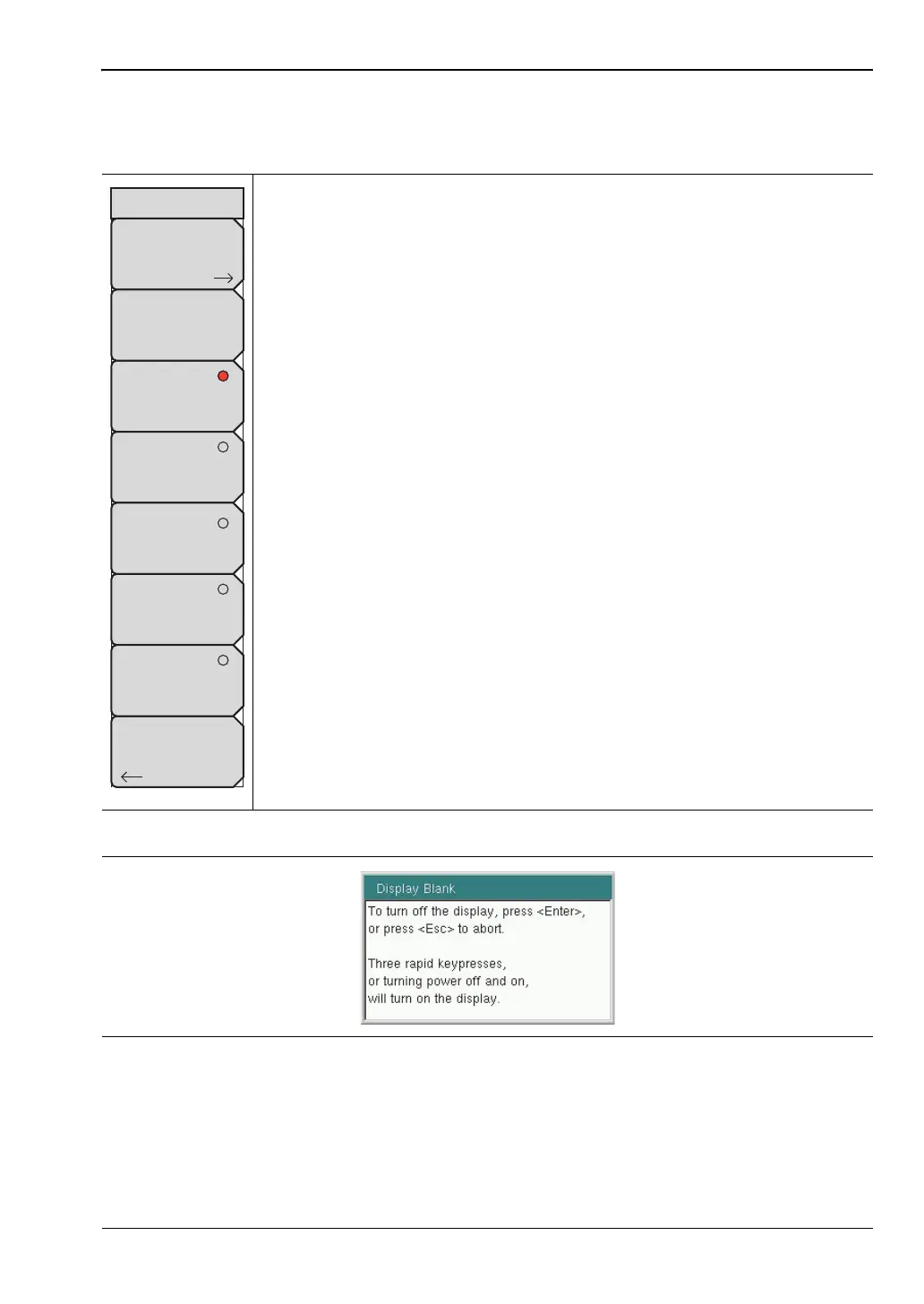
Display Blank: Opens the message box illustrated in Figure 5-8. Press
Enter to turn off the display, or press Esc to abort. To turn the display back
on, press any key (except the Power button) three times in rapid succession.
A power cycle also turns the display back on.
Default Colors: Sets the display colors to the factory defaults. Used for
normal viewing.
Black on White: Sets the display colors to black on a white background.
Used for printing and viewing in broad daylight conditions. See Figure 2-9
on page 2-10 for illustrations of the display color schemes selectable in this
submenu.
Night Vision: Sets the display to a red-tinted color on a black background.
The front panel keypad is backlighted in red. This setting is optimized for
nighttime viewing.
High Contrast: Increases the black and white contrast of the default
display. This setting is used in challenging viewing conditions.
Color on White: Sets the display background to white, the grid to gray, and
leaves sweep data in color. This setting is used for printing and viewing in
broad daylight conditions.
Back: Press this submenu key to return to the “System Options Menu”
on page 5-4.
Figure 5-7. Display Settings Menu
Figure 5-8. Display Blank Message Box
Back
Display Settings
Brightness
Default Colors
Black on White
Night Vision
High Contrast
Color on White
Display Blank












 To Next Page