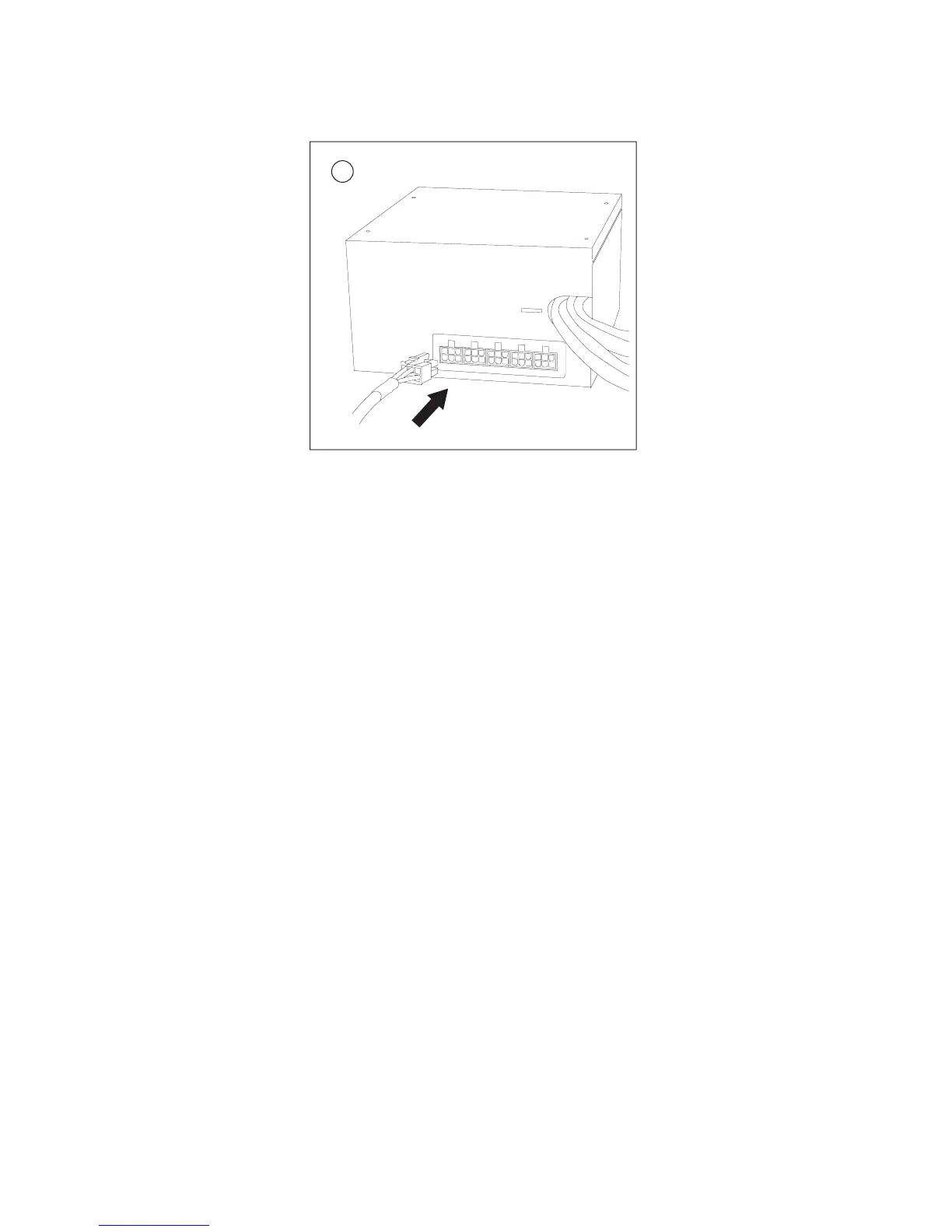
3
9. If your video card requires a PCI-E Connector, then connect the cable from
the main wire bundle to your video card.
10. Attach modular cables from the included cable pack as needed. (Illustration 4)
11. Connect the Drives and Accessories Cable to devices such as hard drives,
optical drives, fans, etc.
12. Connect the SATA cable if you are using a Serial ATA hard drives.
13. If you are running a pair of PCI-E cards or a single PCI-E Card that
requires two power connectors, then you will need to use the modular PCI-E
cable. Connect the cable to the red socket on the power supply. Then
connect the PCI Express power connector to your PCI Express graphic card
as needed.
14. Close your computer case.
Advanced cable management system
The Basiq BP550 Plus PSU features Antec’s advanced cable management system,
which allows you to use only the power cables that you need, thereby reducing
clutter and improving airflow inside your case. Cables and connectors are
described in Table 1.
4





 To Next Page