10
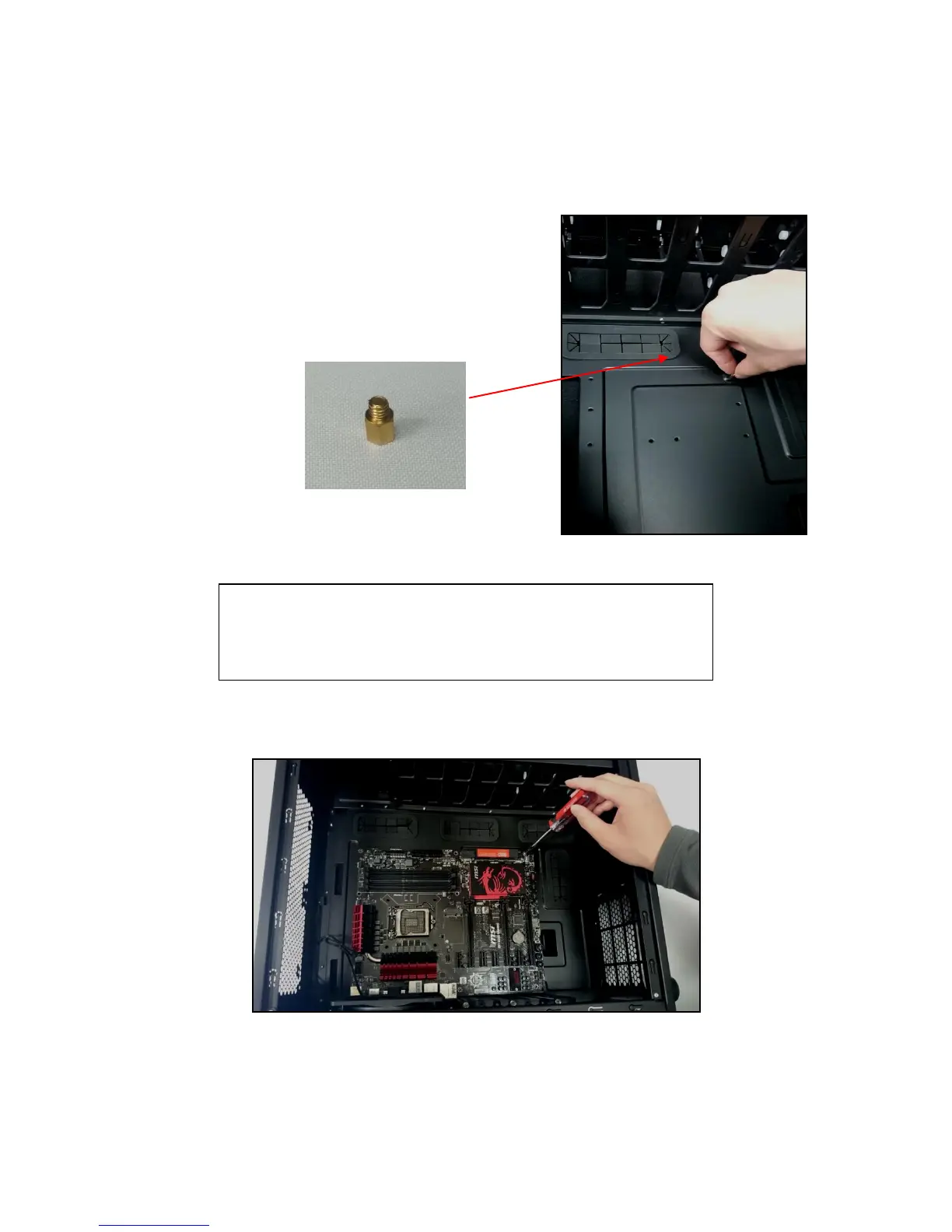
The P100 comes with six preinstalled motherboard standoffs. These are positioned for Standard ATX
motherboards but can be relocated to accommodate other form factors.
1. Align the motherboard with the standoff holes
on the motherboard tray and remember or mark
which holes are lined up
2. Install standoffs as needed and put the
motherboard in.
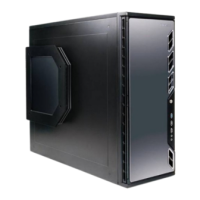
3. Screw your motherboard into the standoffs with the provided motherboard mounting screws.
Install the motherboard standoffs by aligning the motherboard with
the standoff holes.
CAUTION
Make sure to remove any unused motherboard standoffs. They
may come into contact with the back of the motherboard and may
electrify your chassis exterior if left connected.
Use the provided motherboard mounting screws to secure your
motherboard into the standoffs.



 To Next Page