Line Outputs
Four assignable Line outputs on TRS connectors.
8
Mic/Line Inputs
Two console-grade Class A mic pres with discrete transistor design and individual phantom power. Mic input on XLR
connector, Line input on TRS connector.
9
DC Power Connection
Only for use with the Antelope Audio DC power supply!
10
Kensington Lock
Used to lock down the device in demonstration rooms.
11
5.3 Hardware controls
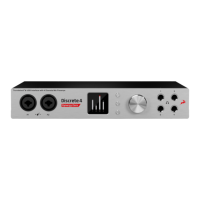
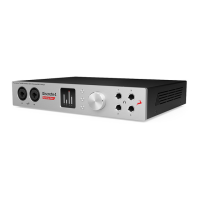
Let’s have a deeper look at the Discrete 4 front panel and see what you are able to accomplish with its three function
buttons, rotary control, and LCD display!
Function Button 1 (top-most) (https://en.antelopeaudio.com/support/user-manuals/discrete-4/#)
Pressing Function Button 1 cycles through Monitor Volume, Line Out Volume, and Headphone Output (HP) 1 – 4
Volume. Use the rotary control to adjust volume.
Press and hold Function Button 1 to access the Discrete 4 System Menu (explained below). Use the rotary control
to select an entry in the menu. Press the rotary control to enter the selected sub-menu. Turn the rotary control left
or right to adjust the setting.
Press the rotary control to toggle Monitor Volume Mute On/Off.
Press any of the function buttons to exit.
Discrete 4 System Menu
1. Comm. Interface:Switch between USB and Thunderbolt™ mode. Use the appropriate setting for your connection.
2. Device Info:Shows the following information: Serial Number, Hardware Revision, Firmware Version.
3. Scr Save Time:Adjusts the length of time before the screensaver turns on. The following options are available: Off, 2
min, 5 min, 15 min, 30 min, 60 min, 120 min.
4. Scr Save Style:Lets you choose the screensaver style. The following choices are available: Star & Black. Press the
rotary control in to confirm.
5. Factory Reset:Lets you restore factory presets. Useful for troubleshooting the Discrete 4. Be careful, pressing the
rotary control activates the function instantly, without asking for confirmation.
Function Button 2 (middle) (https://en.antelopeaudio.com/support/user-manuals/discrete-4/#)
Function Button 3 (bottom-most) (https://en.antelopeaudio.com/support/user-manuals/discrete-4/#)
6. Software


 To Next Page