3. UPDATE Button
Antelope Launcher will notify you for available updates. When updates are available, press the UPDATE button and follow
the on-screen instructions to proceed.
4
4. ADMIN Button
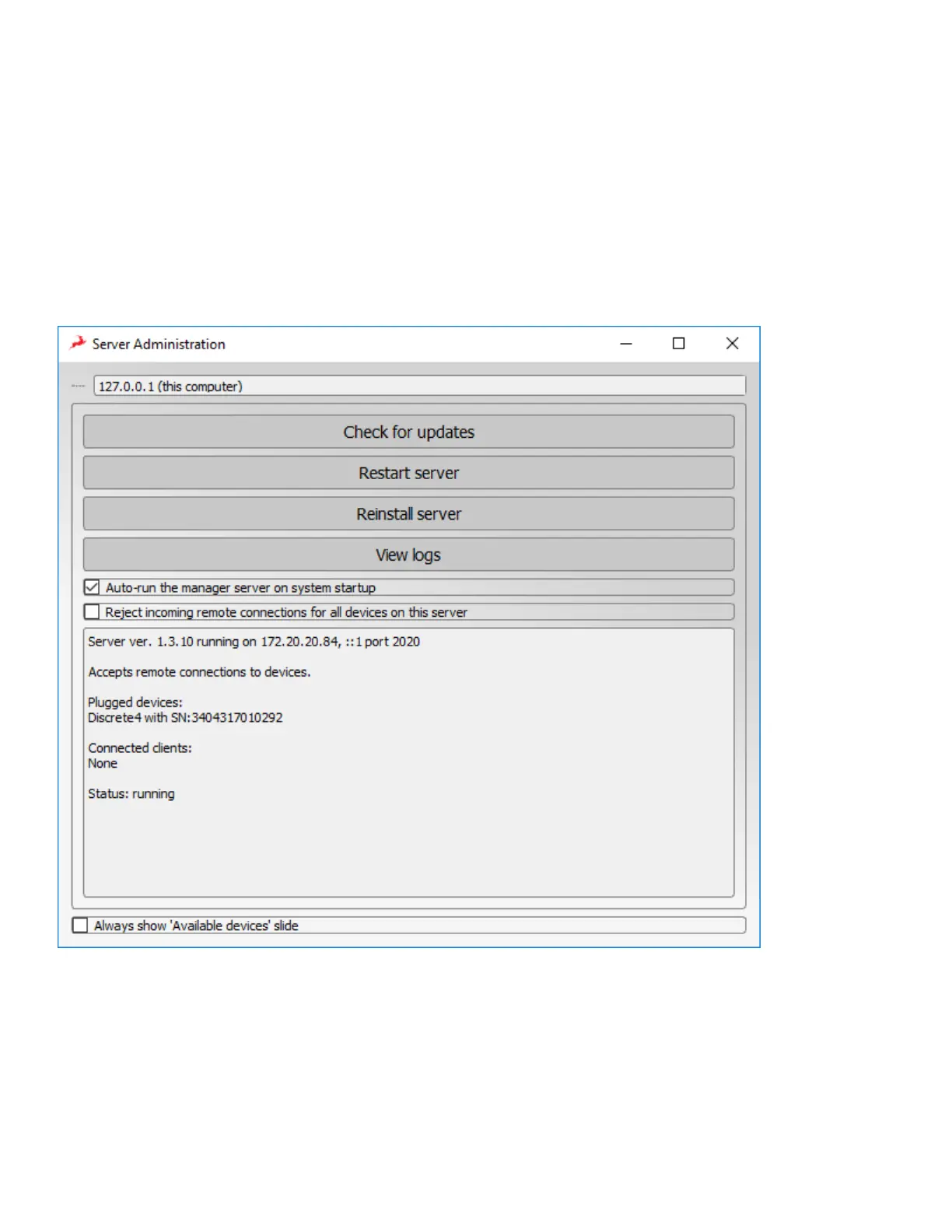
Opens the Server Administration menu
Server Administration Menu
1
1. Server list
Choose which computer to connect to over the audio network. The available computers list is available as a drop-down
menu.
2
2. Check for updates Button
Check for updates to your Discrete 4 firmware and Control Panel software.


 To Next Page