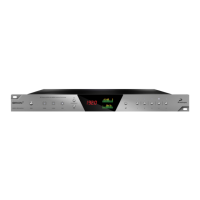
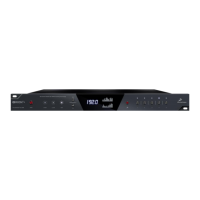
20. D-SUB 25pin Analog Inputs (on bottom)
Four connectors enable you to attach breakout cables, each with 8 lines.
3. ‘MP32 detected’ display (indicates if an MP32 unit is connected to your Orion32+)
4. Meter Source display (dropdown tab allows you to select different sources to preview)
5. Clock Source
This dropdown menu allows you to select how the Orion32+ is to be synchronized. Select
Oven/10M for internal sync (with or without atomic clock reference), W.C. (Word Clock) to sync
the Orion32+ to an external device through the Word clock input, or MADI, ADAT, S/PDIF for
syncing with incoming digital signals.
Once Atomic Clock is connected it replaces ‘Oven’ in the Clock Source dropdown menu.
Orion32+ supports sample rates higher than 48kHz for MADI and ADAT and also supports S-Mux.
The following tables show what the various options for MADI and ADAT implement in order to be
consistent with the input/output of your other devices connected via MADI or ADAT.
Clock Source MADI Options (with or without the S-Mux option selected in Settings):
Clock Source Mode MADI Configuration
Sample Rate Channels
MADI 44.1 kHz 64 ch
48 kHz 64 ch
MADI 2X 88.2 kHz 32 ch
96 kHz 32 ch
MADI 4X 176.4 kHz 16 ch
192 kHz 16 ch
Clock Source ADAT options: (Note that there is no S-Mux check-box for ADAT as it is
automatically enabled when you select ADAT 2X or ADAT 4X):
Clock Source Mode ADAT Configuration
Sample Rate Channels
ADAT 44.1 kHz 8 ch
48 kHz 8 ch
ADAT 2X 88.2 kHz 4 ch
96 kHz 4 ch
ADAT 4X 176.4 kHz 2 ch
192 kHz 2 ch
6. Sample Rate select
7. Lock light
8. Presets
9. Settings
14
10. Info
11. Monitor Volume knob
12. Mute button
Routing Tab:
13. ‘To’ Section
14. ‘From’ Section
15. Undo/Redo Routing; Save/Load Set Up Files


 To Next Page
 Loading...