EasyManua.ls Logo

Antelope Orion 32+ - User Manual

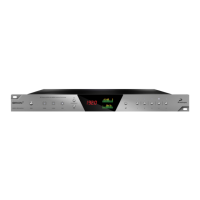
Antelope Orion 32+
23 pages
Print Icon
To Next Page IconTo Next Page
Loading...
26.09.18, 10*53Antelope Audio : Customer Support
Seite 1 von 23https://support.antelopeaudio.com/support/solutions/articles/42000017686-orion32-user-manual
UK Phone number +44 1925933423 / US Phone Number (916) 238-1643
US time: 7:00 a.m. – 6:30 p.m. (EDT), Monday – Friday / European time: 08:00 a.m. – 08:00 p.m. (GMT), Monday –
Friday
What can we help you with?
Enter your search term here...
Search
Orion32+ - User Manual
Modified on: Tue, 4 Sep, 2018 at 7:48 AM
Question and Answer IconNeed help?

Do you have a question about the Antelope Orion 32+ and is the answer not in the manual?

Summary

Safety Notes

General Safety and Handling Precautions

Key safety instructions to prevent electrical shock, fire, and device damage.

Product Introduction

Orion32+ Overview and Functionality

Introduces the Orion32+ as a 32-channel AD/DA converter with advanced clocking technology.

Product Features

Key Specifications and Capabilities

Lists the main features, connectivity options, and performance metrics of the Orion32+.

Installation Guide

Windows Installation Procedure

Step-by-step guide for installing the Orion32+ software and drivers on Windows.

Mac OS Installation Notes

Specific requirements and instructions for installing the Orion32+ on macOS.

Front Panel Interface

Front Panel Controls and Indicators

Explains the function of buttons, lights, and displays on the Orion32+ front panel.

Rear Panel Connections

Power, Clocking, and I;O Ports

Details the rear panel's power, clocking inputs, digital, and analog connectivity ports.

Software Control Panel

Control Panel Main View and Analog I;O

Describes the control panel's main view, connectivity display, and analog input/output sections.

Routing Tab Functionality

Explains the routing matrix, signal flow, and mapping options within the control panel.

Mixer Tab Interface

Details the four low-latency mixers, faders, pan, and send controls in the software.

AuraVerb Effect Parameters

Describes the AuraVerb algorithmic reverb effect and its adjustable parameters.

AFX Tab Channel Strips

Details the 16 AFX channel strips, including EQ and Compressor parameters.

Options Tab Settings

Covers settings for monitor trim, line out trim, ADC trim, clocking, and buffer size.

Advanced User Tips

Ground Loop Noise Prevention

Recommendations for minimizing ground loop hum and noise in audio setups.

Included Accessories

Lists the items included in the Orion32+ package.

Troubleshooting Guide

Startup and Audio Issues

Addresses common problems related to device startup, audio routing, and sample rate mismatches.

Connectivity and DAW Problems

Helps resolve issues with signal reception, output, DAW integration, and buffer size.

Technical Specifications

Input and Output Connectivity

Details the analog and digital I/O specifications, including channel counts and connector types.

Clocking System and Performance

Specifies clocking technology, stability, aging, and sample rate capabilities.

Physical and Power Specifications

Covers operating temperature, dimensions, power supply, and consumption.

Customer Support Contacts

European and US Support Lines

Provides phone numbers and operating hours for European and US customer support.

Online Support Resources

Information on accessing live chat, email support, and the official support page.

Summary

Safety Notes

General Safety and Handling Precautions

Key safety instructions to prevent electrical shock, fire, and device damage.

Product Introduction

Orion32+ Overview and Functionality

Introduces the Orion32+ as a 32-channel AD/DA converter with advanced clocking technology.

Product Features

Key Specifications and Capabilities

Lists the main features, connectivity options, and performance metrics of the Orion32+.

Installation Guide

Windows Installation Procedure

Step-by-step guide for installing the Orion32+ software and drivers on Windows.

Mac OS Installation Notes

Specific requirements and instructions for installing the Orion32+ on macOS.

Front Panel Interface

Front Panel Controls and Indicators

Explains the function of buttons, lights, and displays on the Orion32+ front panel.

Rear Panel Connections

Power, Clocking, and I;O Ports

Details the rear panel's power, clocking inputs, digital, and analog connectivity ports.

Software Control Panel

Control Panel Main View and Analog I;O

Describes the control panel's main view, connectivity display, and analog input/output sections.

Routing Tab Functionality

Explains the routing matrix, signal flow, and mapping options within the control panel.

Mixer Tab Interface

Details the four low-latency mixers, faders, pan, and send controls in the software.

AuraVerb Effect Parameters

Describes the AuraVerb algorithmic reverb effect and its adjustable parameters.

AFX Tab Channel Strips

Details the 16 AFX channel strips, including EQ and Compressor parameters.

Options Tab Settings

Covers settings for monitor trim, line out trim, ADC trim, clocking, and buffer size.

Advanced User Tips

Ground Loop Noise Prevention

Recommendations for minimizing ground loop hum and noise in audio setups.

Included Accessories

Lists the items included in the Orion32+ package.

Troubleshooting Guide

Startup and Audio Issues

Addresses common problems related to device startup, audio routing, and sample rate mismatches.

Connectivity and DAW Problems

Helps resolve issues with signal reception, output, DAW integration, and buffer size.

Technical Specifications

Input and Output Connectivity

Details the analog and digital I/O specifications, including channel counts and connector types.

Clocking System and Performance

Specifies clocking technology, stability, aging, and sample rate capabilities.

Physical and Power Specifications

Covers operating temperature, dimensions, power supply, and consumption.

Customer Support Contacts

European and US Support Lines

Provides phone numbers and operating hours for European and US customer support.

Online Support Resources

Information on accessing live chat, email support, and the official support page.

Antelope Orion 32+ Specifications

General IconGeneral
TypeAudio Interface
Channels32
A/D Resolution24-bit
Phantom PowerNo
OS CompatibilityWindows, macOS
Digital Inputs2 x ADAT, 1 x MADI, 1 x S/PDIF
Digital Outputs2 x ADAT, 1 x MADI, 1 x S/PDIF
USB1 x USB Type-B
Clock I/O1 x Atomic Clock In
Sample Rates44.1kHz, 48kHz, 88.2kHz, 96kHz, 176.4kHz, 192kHz
Dimensions19 in / 1U
Computer ConnectivityUSB
SoftwareControl Panel
Analog Inputs32 x DB25
Analog Outputs32 x DB25

Related product manuals