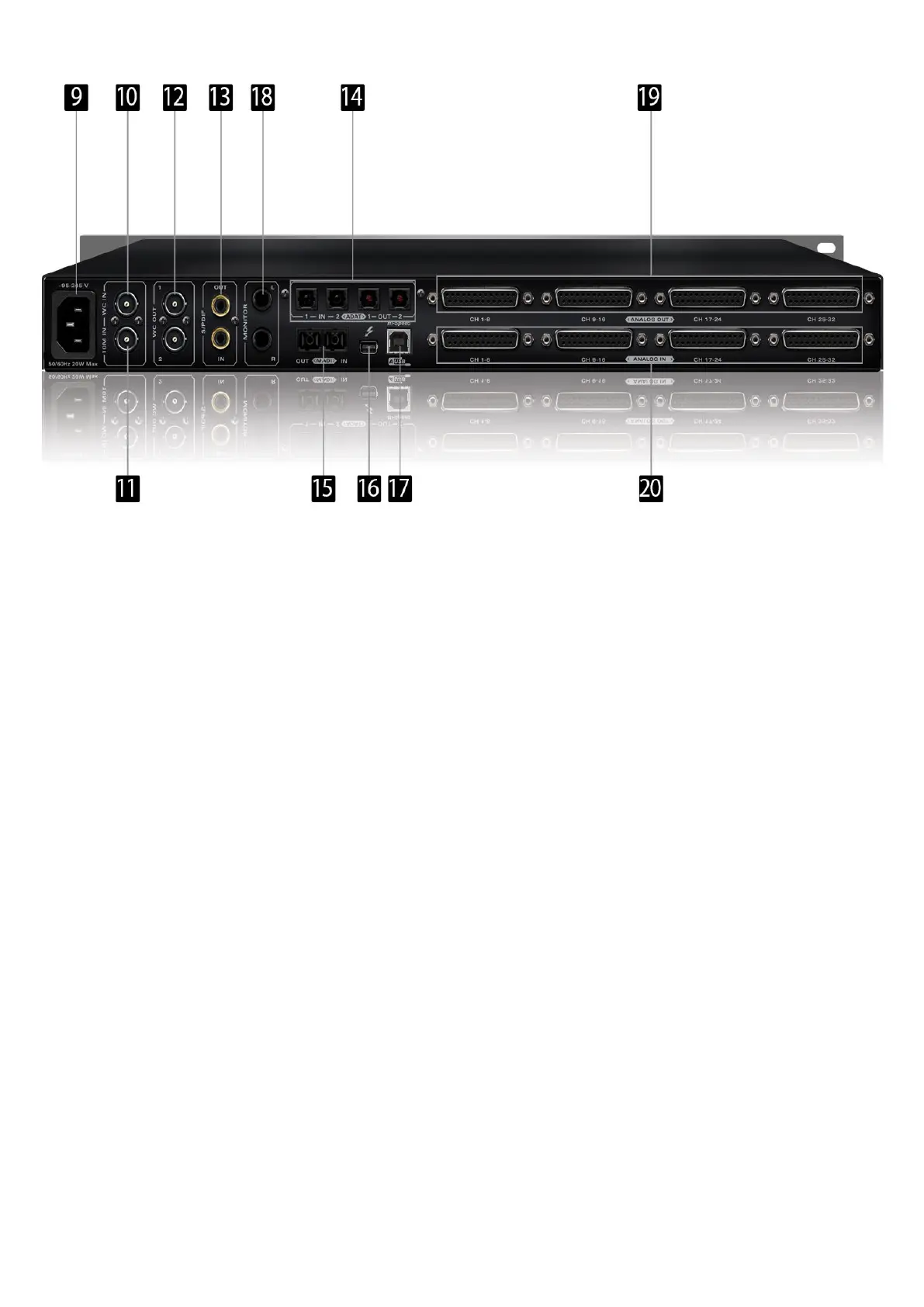
9. Mains Power Connection
The IEC connector supports a range from ~95-245 V. This enables the device to
automatically accommodate mains voltage in every country.
10. Word Clock Input
BNC connector used to accept Word Clock reference.
11. 10M Input
This BNC Input Connector allows the Orion32+ to receive timing reference from an
Atomic Clock such as the Antelope 10M and 10MX, to increase the Oscillator accuracy.
If the device is in Oven mode, plugging in the atomic clock causes the “Atomic LED” light
to illuminate on the device front panel and the atomic device becomes the primary timing
reference, thus providing better sample accuracy, more detailed sound and greater
stability.
12. Word Clock Outputs
Two Word Clock Outputs with BNC connector.
13. S/PDIF Input/Output
75 Ω S/PDIF connectors for use with compatible equipment.
14. ADAT Connectors
2 Inputs & 2 Outputs (up to 8 channels per line).
15. MADI Input/Output
1 x MADI I/O Connector providing 64 tracks input and 64 tracks output.
16. ThunderboltTM port
Enables you to connect your Orion32+ to a ThunderboltTM port on a Mac computer using
a ThunderboltTM cable (not included).
17. USB High-Speed
Orion32+ uses USB connector Type B and operates up to 192kHz sample rate with
7. Software Control Panel
7.1. Routing Tab and Main View options












 To Next Page