S9 Operator Board Maintenance Instructions
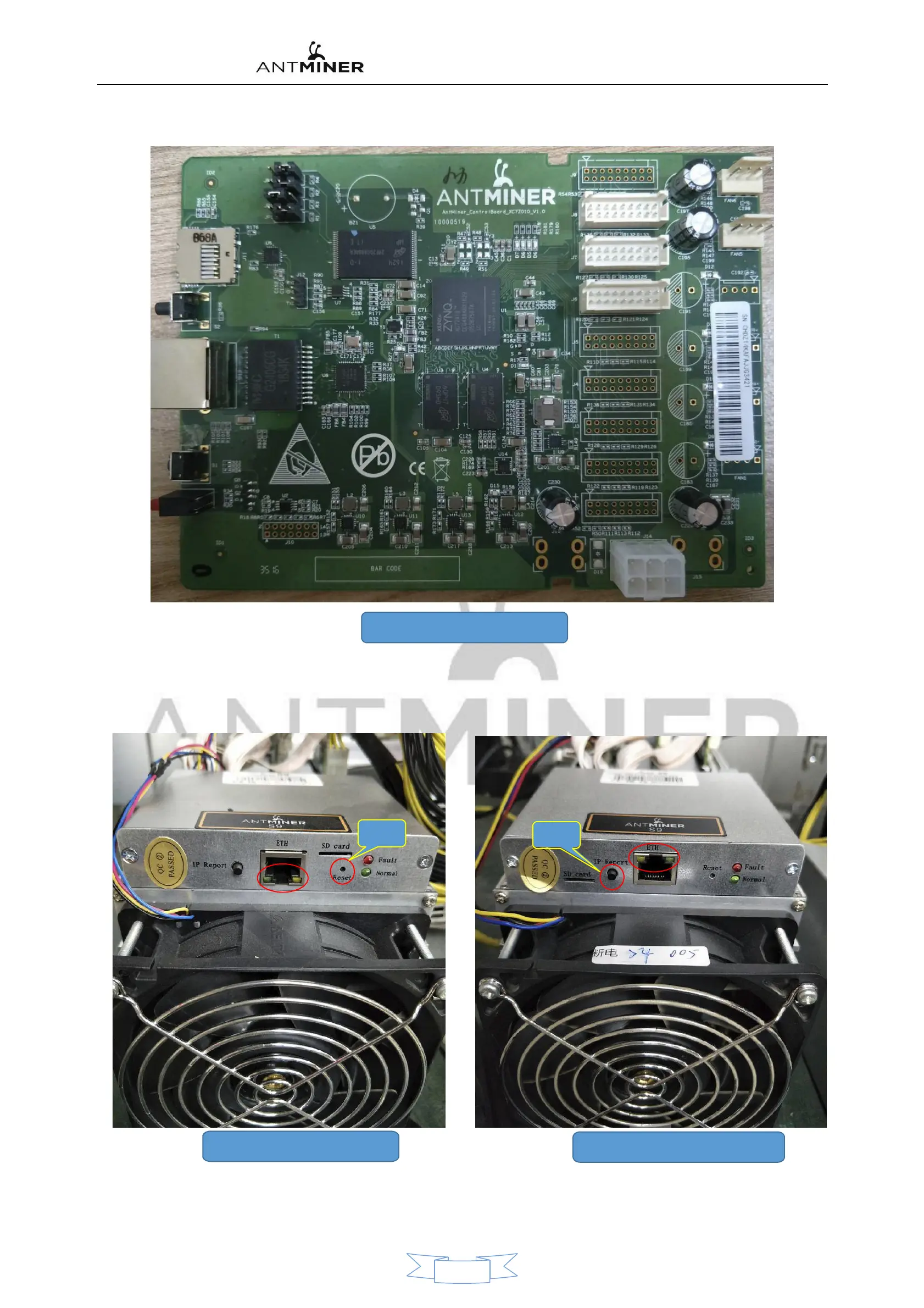
33、XILINX Control Panel
However, I can't see the overall structure of the control panel during the maintenance and repair of the whole machine. We can identify the
appearance of the whole machine: for example, the network indicator of the C5 control board is down, as shown in Figure 34 below; the network port
of the XILINX control board is up, as shown in Figure 35 below.
.
Reset
34、C5 Control Panel appearance
Reset
35、XILINX Control Panel appearance
The C5 control board is restored to the factory setting. After the mining machine is running, press and hold the RESET button for more than 5 seconds.
After the red light is long, the mining machine is reset and restarted.
18


 To Next Page