
 Need help?
Do you have a question about the AnyCubic Wash & Cure Machine 2.0 and is the answer not in the manual?
Blocks UV light and provides machine control via touch interface.
Panel for model curing and fan for heat dissipation.
Detects lid coverage and enables machine power on/off.
Guide to switching to wash mode and preparing for washing tasks.
Initial steps for switching to cure mode and placing models.
Procedure for filtering and reusing alcohol washing liquid to minimize waste.
Addresses power, lid, and rotor problems affecting machine function.
Solutions for abnormal sounds and models turning white after processing.
Troubleshooting non-illuminated mode lights on the control interface.
 General
| Category | 3D Printers |
|---|---|
| Rated Power | 60W |
| Power Consumption (Washing) | 30W |
| Curing Time Setting | 1-30 minutes |
| Light Source | UV LED |
| UV Wavelength | 405 nm |
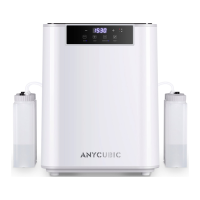
| Model | AnyCubic Wash & Cure Machine 2.0 |
| Type | Wash & Cure Station |
| Machine Type | Post-processing |
| Power Supply | AC 100-240V, 50/60Hz |
| Control Method | Touch Panel |











 To Next Page