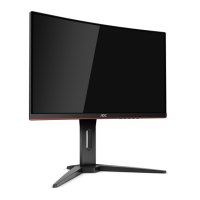
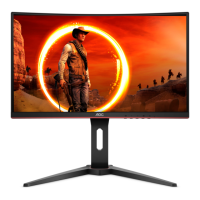
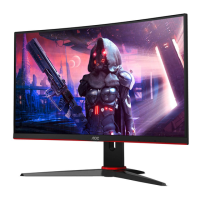
Need help?
Do you have a question about the AOC C27G2 and is the answer not in the manual?
Provides guidelines for safe electrical operation and power source usage.
Details safe practices for monitor installation, placement, and ventilation.
Provides step-by-step instructions for assembling or disassembling the monitor stand.
Details how to connect the monitor to a computer using various cables.
Describes the function of each hotkey button on the monitor.
Guides users through navigating and using the On-Screen Display (OSD) menus.
Addresses common problems like power not turning on and no image display.
Solves issues related to fuzzy pictures, color defects, and screen disturbances.
 General
| Color | black/red, multi |
|---|---|
| Screen Type | led |
| Tiltable | yes |
| Wall Mount | 100mm x 100mm |
| Touch Screen | no |
| Webcam | no |
| OS Compatibility | windows, mac, linux |
| Screen Size | 27 inches |
| Panel Type | va |
| Aspect Ratio | 16:9 |
| Resolution | 1920 x 1080 |
| Native Resolution | 1920 x 1080 |
| Refresh Rate | 165hz |
| Horizontal Viewing Angle | 178 degrees |
| Vertical Viewing Angle | 178 degrees |
| Response Time | 1 milliseconds |
| Brightness | 250 candela per square meter |
| Contrast Ratio | 80, 000, 000:1 |
| Synchronization | freesync premium (amd adaptive sync) |
| Horizontal Scan Rate | 178 kilohertz |
| HDR | no |
| Built-In Speakers | no |
| Interface Connectors | 1 x displayport 1.2, 1 x vga |
| HDMI Ports | 2 |
| USB Type B Ports | 0 |
| Display Port Inputs | 1 |
| Mini Display Port | 0 |
| DVI | 0 |
| Thunderbolt Ports | 0 |
| Headphones Output | yes |
| Voice Assistant | no |
| Power Saving Mode | 0.5 watts |
| Power Consumption | 31 watts |
| Height with Stand | 15.69 inches |
| Width with Stand | 24.1 inches |
| Depth without Stand | 2.9 inches |
| Height without Stand | 14.46 inches |
| Net Weight without Stand | 11.9 pounds |

 To Next Page