Need help?
Do you have a question about the AOC CU34G2XP/BK and is the answer not in the manual?
Describes national conventions used in the document for notes, cautions, and warnings.
Explains icons and text formats for notes, cautions, and warnings.
Instructions for safe operation and power connection, including grounding.
Guidelines for safe and proper monitor installation, including stability and ventilation.
Procedures for cleaning the monitor safely with a damp cloth.
General precautions for handling and operating the monitor, including environmental factors.
Lists all items included in the product packaging.
Instructions for assembling or removing the monitor stand and base.
Guide on how to adjust the monitor's viewing angle for optimal experience.
Steps for connecting the monitor to a PC via various cables.
Instructions for mounting the monitor using an optional wall mount arm.
Information on AMD FreeSync Premium compatibility and requirements.
Explanation of the monitor's hotkey functions for quick access.
Basic instructions for navigating and using the On-Screen Display (OSD) menu.
Details on adjusting brightness, contrast, and gamma settings.
Guide to color temperature, DCB mode, and RGB gain adjustments.
Instructions for using the Picture Boost feature for enhanced visuals.
Advanced OSD settings like language, timeout, and transparency.
Configuration options for Picture-in-Picture (PIP) and Picture-by-Picture (PBP).
Settings for optimizing the monitor for various gaming scenarios.
Additional settings including input select, off timer, and image ratio.
Instructions on how to exit the On-Screen Display (OSD) menu.
Explanation of the status and color of the monitor's LED indicator.
Solutions for common problems like power, no image, and fuzzy picture.
Detailed technical specifications of the monitor, including panel and environmental data.
Lists available display modes, resolutions, and frequencies.
Details of connector pin assignments for HDMI and DisplayPort cables.
Information on the monitor's VESA DDC2B Plug and Play capabilities.
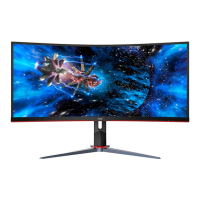
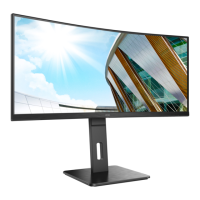
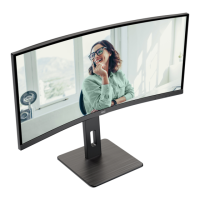
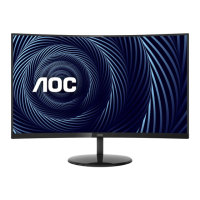
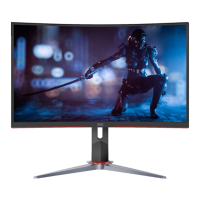
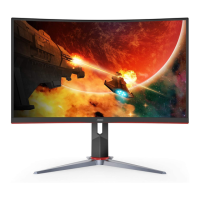
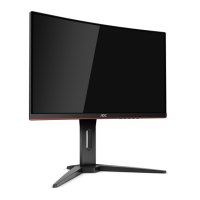
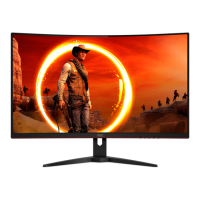
This document serves as the user manual for an AOC Gaming LCD Monitor, model CU34G2XP/BK, providing comprehensive instructions for its setup, adjustment, and maintenance. The monitor is designed for an immersive gaming experience, featuring a curved display and various game-centric functionalities.
The AOC Gaming LCD Monitor CU34G2XP/BK is a high-performance display unit primarily designed for gaming and multimedia consumption. It functions as an output device for computers, displaying visual information through its LCD panel. The monitor supports multiple input sources, including HDMI and DisplayPort, allowing connectivity with various devices such as PCs, gaming consoles, and other multimedia players.
A key feature of this monitor is its support for AMD FreeSync Premium, which synchronizes the monitor's refresh rate with the graphics card's frame rate. This technology aims to eliminate screen tearing and stuttering, providing a smoother and more fluid gaming experience. The manual details compatible AMD graphics cards and processors that can leverage this function, ensuring users can optimize their setup for FreeSync Premium.
The monitor incorporates an On-Screen Display (OSD) system, which allows users to access and modify various display settings directly on the screen. This OSD is navigated using a set of hotkeys located on the monitor's bezel, providing intuitive control over picture quality, color, game-specific enhancements, and other system parameters.
The CU34G2XP/BK monitor offers a wide range of features designed to enhance the user's viewing and gaming experience:
Adjustability: The monitor stand allows for adjusting the viewing angle, including tilt (from -5° to 23°) and height (up to 130mm). This ergonomic design ensures users can position the screen to their personal preference for optimal comfort and viewing. The manual emphasizes the importance of holding the stand when adjusting the angle to prevent toppling and warns against touching the LCD screen during adjustments to avoid damage.
Connectivity: The monitor provides multiple connection options, including two USB 3.2 Gen 1 ports, one USB 3.2 Gen 1 with Quick Charging, one USB 3.2 Gen 1 upstream port, two HDMI inputs, two DisplayPort inputs, and an earphone out jack. This extensive connectivity allows users to connect multiple devices simultaneously and easily switch between them. The manual provides clear instructions on how to connect the monitor to a PC, including power and signal cable connections.
OSD Settings: The OSD menu is divided into several categories, offering granular control over the display:
Hotkeys: The monitor features dedicated hotkeys for quick access to frequently used functions:
Wall Mounting: The monitor is VESA-compatible, allowing it to be mounted on a wall using a separately purchased wall mounting arm. The manual provides step-by-step instructions for removing the stand and attaching the wall mount, along with important warnings regarding screen damage during installation.
The manual provides essential guidelines for maintaining the monitor to ensure its longevity and optimal performance:
Cleaning: Users are instructed to clean the cabinet regularly with a water-dampened, soft cloth. For the screen, a soft cotton or microfiber cloth, damp and almost dry, should be used, ensuring no liquid enters the case. Crucially, the power cord must be disconnected before cleaning the product to prevent electric shock.
Safety Precautions: The manual outlines several safety measures to prevent damage to the monitor and ensure user safety:
By following these instructions, users can ensure safe operation, optimal performance, and extended lifespan of their AOC Gaming LCD Monitor CU34G2XP/BK.
 General
| Screen Size | 34 inches |
|---|---|
| Resolution | 3440 x 1440 |
| Refresh Rate | 144 Hz |
| Response Time | 1 ms (MPRT) |
| Panel Type | VA |
| Aspect Ratio | 21:9 |
| Brightness | 300 cd/m² |
| Contrast Ratio | 3000:1 |
| Curvature | 1500R |
| HDR | HDR10 |
| VESA Mount | 100x100 mm |
| Ports | 2x HDMI 2.0, 2x DisplayPort 1.4 |
| USB Hub | Yes, USB 3.2 x 4 |
| Adaptive Sync | FreeSync |
| Color Gamut | 120% sRGB |

 To Next Page