EasyManua.ls Logo

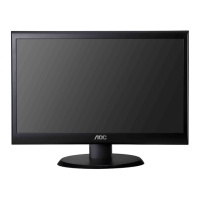
AOC e2250Swdn - User Manual

AOC e2250Swdn
59 pages
Print Icon
To Next Page IconTo Next Page
Loading...

Other manuals for AOC e2250Swdn

Questions and Answers

  • L
    Luis PinedaJul 31, 2025
    What to do if AOC e2250Swdn Monitor has no video but power LED is blue?
    • H
      hobbsalexanderJul 31, 2025
      If your AOC monitor's power LED is blue but there's no video, try the following: First, ensure the power button functions correctly. If not, consider replacing the main board, or the converter board. Also, inspect the LVDS/FFC cable and the panel for any issues, replacing the LVDS/FFC if necessary. Replacing the key board could also resolve the problem.
  • G
    George PerkinsAug 7, 2025
    How to troubleshoot AOC Monitor with no power?
    • L
      Lori BakerAug 7, 2025
      If your AOC monitor has no power, check that the power cable is tightened. Ensure the Power “On/Off” switch is turned on. Verify the LED indicator is working correctly. If these steps don't resolve the issue, consider replacing the converter board, the main board, or the key board, checking all connections during the replacement.
  • S
    Stacey WoodsAug 15, 2025
    How to fix AOC Monitor when color is not optimal?
    • Z
      zkingAug 16, 2025
      If the color on your AOC monitor isn't optimal, you can try the following: First, adjust the color settings in the user mode until you're satisfied. If that doesn't work, pull out the signal cable to see if the screen color display is normal. If not, consider replacing the signal cable or testing with a different PC. As a last resort, replace the main board.
  • K
    Kristen FletcherAug 22, 2025
    How to fix DIM image on AOC e2250Swdn?
    • A
      Andrew MarshAug 23, 2025
      To correct a dim image with overlap, focus issues, or flicker on your AOC monitor, try these steps: First, reset the monitor to its factory settings. Set the monitor to the optimal and recommended frequency. Readjust the phase and pixel clock in the user mode. Also, check the signal cable and the PC. If the issue persists, replacing the main board or the panel may be necessary.

Summary

Safety and Precautions

Power Safety Precautions

Covers safe operation, grounding, unplugging during storms, and avoiding overloading.

Installation Guide

Installation and Ventilation

General installation guidelines, wall mounting, and required air circulation space.

Initial Setup

Connecting Cables

Detailed steps for connecting power, analog (VGA), and DVI cables.

Display Adjustments

Setting Optimal Resolution (Windows Vista)

Guide to setting the optimal screen resolution for Windows Vista.

Setting Optimal Resolution (Windows XP)

Instructions for setting optimal resolution in Windows XP.

Setting Optimal Resolution (Windows ME;2000)

Instructions for setting optimal resolution in Windows ME/2000.

Monitor Controls

OSD Menu Settings

OSD Navigation and Control

General instructions on how to use the On-Screen Display menu.

Driver Installation

Installing Monitor Drivers (Windows 7)

Step-by-step guide for driver installation on Windows 7.

Installing Monitor Drivers (Windows Vista)

Step-by-step guide for driver installation on Windows Vista.

Installing Monitor Drivers (Windows XP)

Step-by-step guide for driver installation on Windows XP.

Installing Monitor Drivers (Windows 2000;ME)

Guide for driver installation on Windows 2000 and Windows ME.

Software Utilities

Troubleshooting Monitor Issues

Common Problems and Solutions

Lists typical issues and their resolutions for monitor operation.

Product Specifications

Product Warranty

AOC e2250Swdn Specifications

General IconGeneral
3DNo
Pixel pitch0.248 x 0.248 mm
Aspect ratio16:9
Display diagonal21.5 \
Vertical scan range50 - 751 Hz
Horizontal scan range30 - 83 kHz
Supported video modes1080i, 1080p, 720p
Viewable size, vertical268.1 mm
Viewing angle, vertical60 °
Contrast ratio (dynamic)20000000:1
Display number of colors16.78 million colors
Viewable size, horizontal476.6 mm
Viewing angle, horizontal90 °
Display brightness (typical)200 cd/m²
Supported graphics resolutions1920 x 1080 (HD 1080)
On/off switchYes
Ethernet LAN (RJ-45) ports0
Number of products included1 pc(s)
DVI-I ports quantity-
SafetyRoHS
CertificationEPEAT Silver, FCC, CE
Product colorBlack
LED indicatorsPower
Cable lock slot typeKensington
Number of OSD languages16
Panel mounting interface75 x 75 mm
AC input voltage110 - 220 V
AC input frequency50 - 60 Hz
Power consumption (max)31.5 W
Power consumption (standby)- W
Cables includedAC
Bundled softwareScreen+
Operating temperature (T-T)5 - 35 °C
Operating relative humidity (H-H)20 - 80 %
Sustainability certificatesENERGY STAR
Package width564 mm
Package height394 mm
Package weight4060 g
Weight and Dimensions IconWeight and Dimensions
Depth (without stand)109 mm
Width (without stand)511.2 mm
Height (without stand)379.9 mm
Weight (without stand)3280 g

Related product manuals