14
English
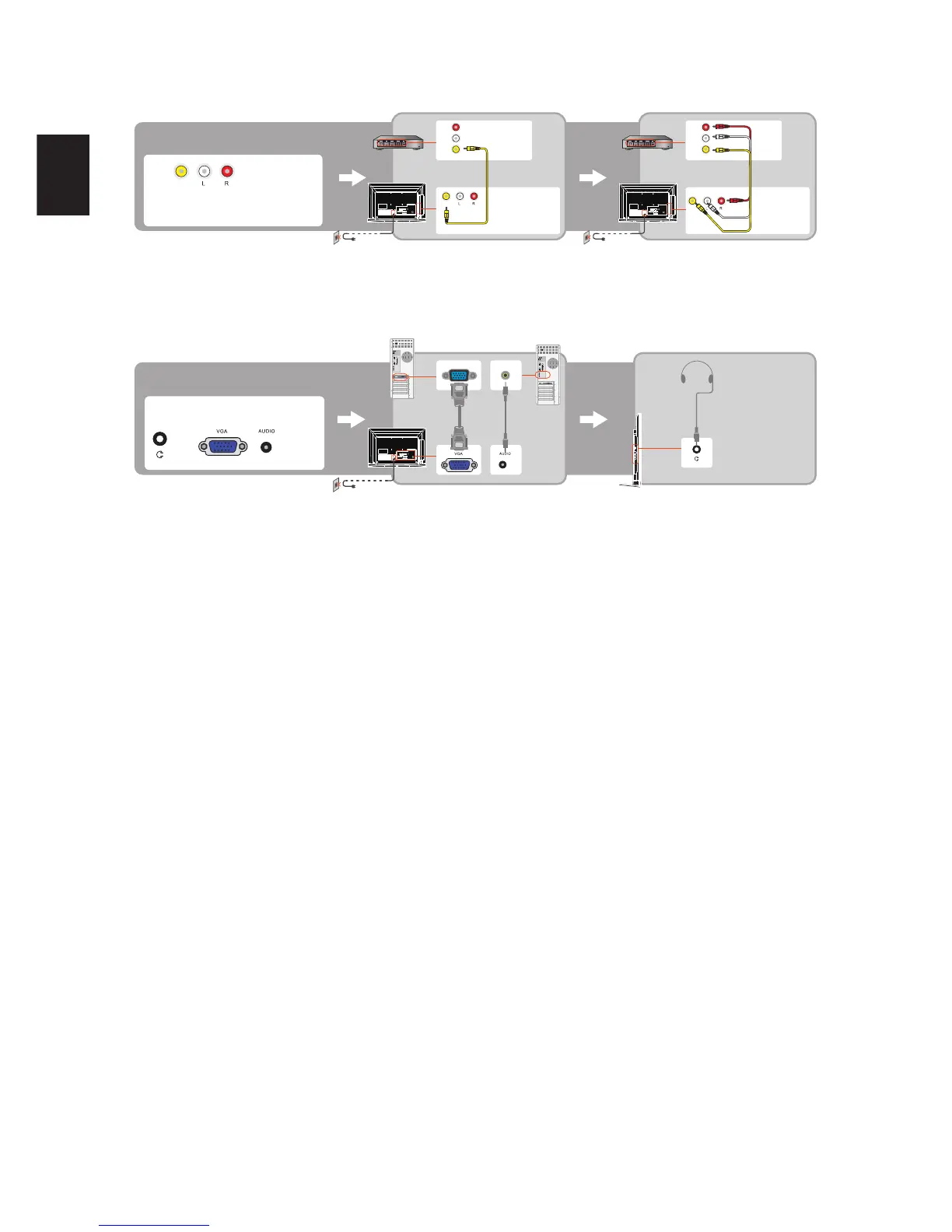
Composite Signal Connection
AV
AV IN
CVBS
CVBS
CVBS
PC Connection
Use the TV as a monitor for your PC shown below with the HD15 to HD15 connection. This TV can also be connected to a PC with DVI or HDMI
output. (Refer to the separate Quick Setup Guide.)
PC
VGA IN
Connect the PC IN jack to the PC using the HD15- HD15 cable with ferrite core (analog RGB) and audio cable.
If the PC is connected to the TV and no signal has been input from the PC for more than 30 seconds, the TV enters the standby mode
automatically.



 To Next Page