18
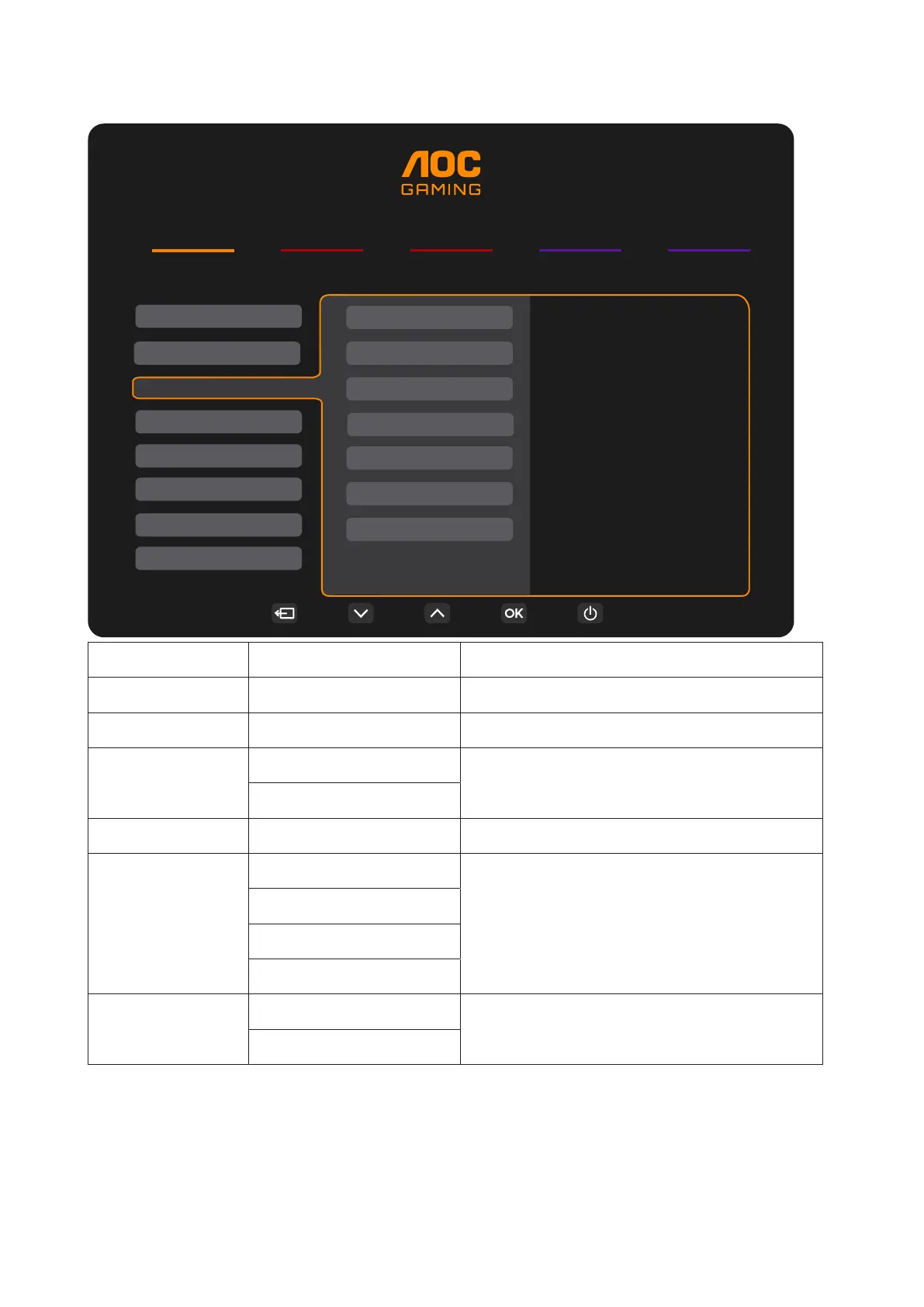
PIP/PBP
RESOLUTION
2560x1440
REFRESH RATE
60 HZ
BRIGHTNESS
90
INPUT SOURCE
DP
GAMING MODE
Standard
Game Setting
Picture
PIP/PBP Mode
Main Source
Sub Source
Size
Position
Swap
PIP/PBP
Audio
Settings
Audio
OSD Setup
Information
OLED Setting
PIP/PBP Mode Off / PIP / PBP Disable or Enable PIP or PBP.
Main Source Select main screen source.
Sub Source Select sub screen source.
Audio
Main Source
Select Audio Setup.
Sub Source
Size Small / Middle / Large Select screen size.
Position
Right-up
Set the screen location.
Right-down
Left-up
Left-down
Swap
On: Swap
Swap the screen source.
Off: non action
Note:
1). When “HDR” under “Picture” is set to the non-off state, all items under “PIP/PBP” cannot be adjusted.
2). When PIP/PBP is enabled, some color-related adjustments in the OSD menu are valid only for the main
screen, while the sub-screen is not supported. Hence, the main screen and the sub-screen may have
different colors.


 To Next Page