9
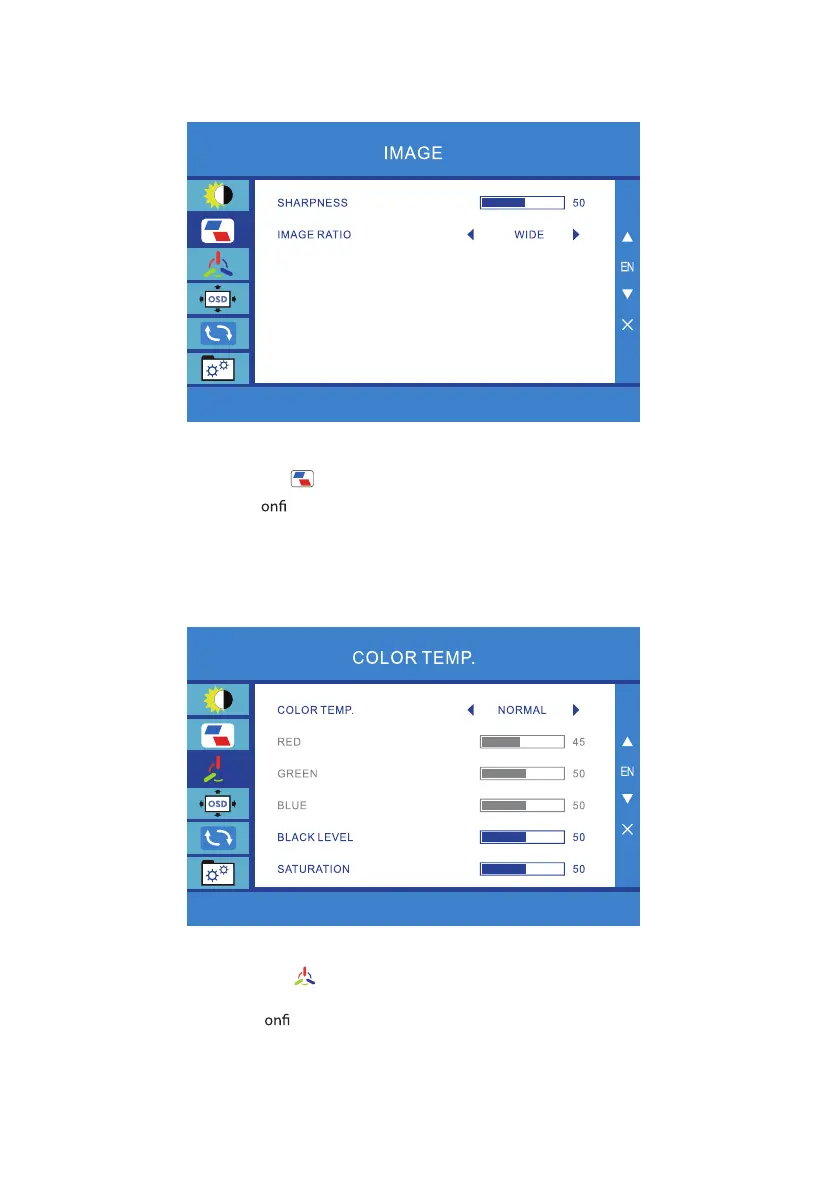
Adjusting the Image setting
1. Press the MENU key to bring up the OSD.
2. Using the + - / keys, select Color from the OSD. Then navigate to the feature you wish to adjust.
3.
4. Use the + - / keys to select Sharpness and Image ratio.
Adjusting the Color temp setting
1.
2. Using the + - / keys, select Language from the OSD. Then navigate to the feature you wish to
adjust.
3.
4. /
Press the MENU key to c rm your select.
Press the MENU key to bring up the OSD.
Press the MENU key to c
rm your select.
Use the + - keys to select Color temp., Red, Green, Blue, Black level, Saturation to adjust.



 To Next Page