22
A
A
K
K
7
7
7
7
-
-
3
3
3
3
3
3
O
O
n
n
l
l
i
i
n
n
e
e
M
M
a
a
n
n
u
u
a
a
l
l
J
J
P
P
2
2
1
1
F
F
S
S
B
B
/
/
P
P
C
C
I
I
C
C
l
l
o
o
c
c
k
k
R
R
a
a
t
t
i
i
o
o
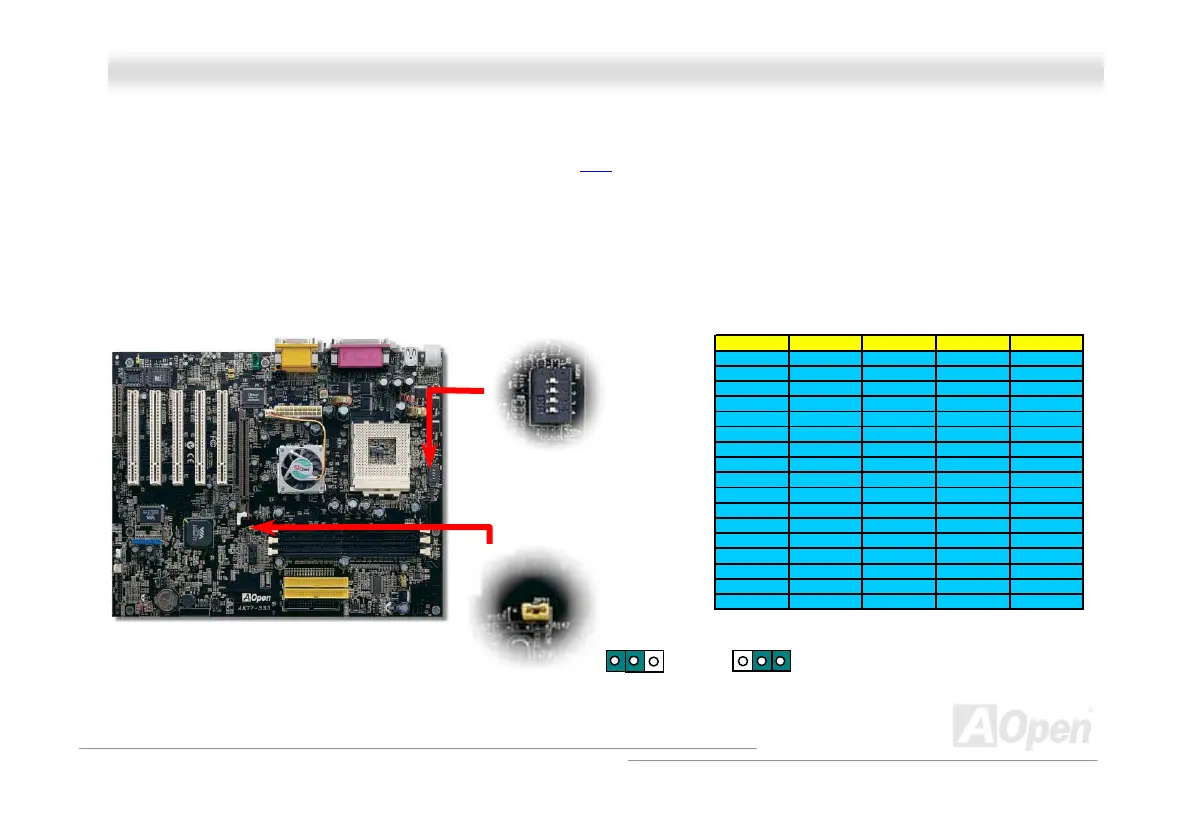
This jumper is used to specify the relationship of PCI and FSB clock. Generally speaking, if you are not overclockers, we
recommend you to set it to the default setting. Additionally, this motherboard also provides “1MHz Stepping Adjustment”
feature for overclockers to adjust CPU FSB frequency via BIOS setup program. Based on the CPU type, the adjustment range
has two levels: 100~129 (FSB=100, such as Athlon 800), 130~248 (FSB=133, such as Athlon 1000) MHz for your choosing. You
may also choose a specific FSB frequency ranging from 100~117 (say, 105, 110, 115 for example) and 120~156 with reference
to a frequency table in BIOS setup program. If you fix the CPU FSB frequency by JP21, the “1MHz Stepping Adjustment” range
will be changed and following your JP21 setting.
CPU Ratio SW1-1 SW1-2 SW1-3 SW1-4
5
--+-
5.5
+-+-
6
-++-
6.5
+++-
7
---+
7.5
+--+
8
-+-+
8.5
++-+
9
--++
9.5
+-++
10
-+++
10.5
++++
11
----
11.5
+---
12
-+--
12.5
++--
CPU Default 0 0 0 0
1 2 3
FSB=100
FSB=133
Default
SW1 CPU Ratio
Select Switch
-
+
1
2
3
4



 To Next Page