EN-13
8. Black Boost: This boosts the amplitude of the dark color levels of the
display– blacks will be less black. The higher the level, the higher the
boost.
9. ACM: Turn ACM on or off. The default is off.
10. Super Sharpness technology can simulate high-resolution images by
boosting the pixel density of the original source. It can make images
sharper and clear.
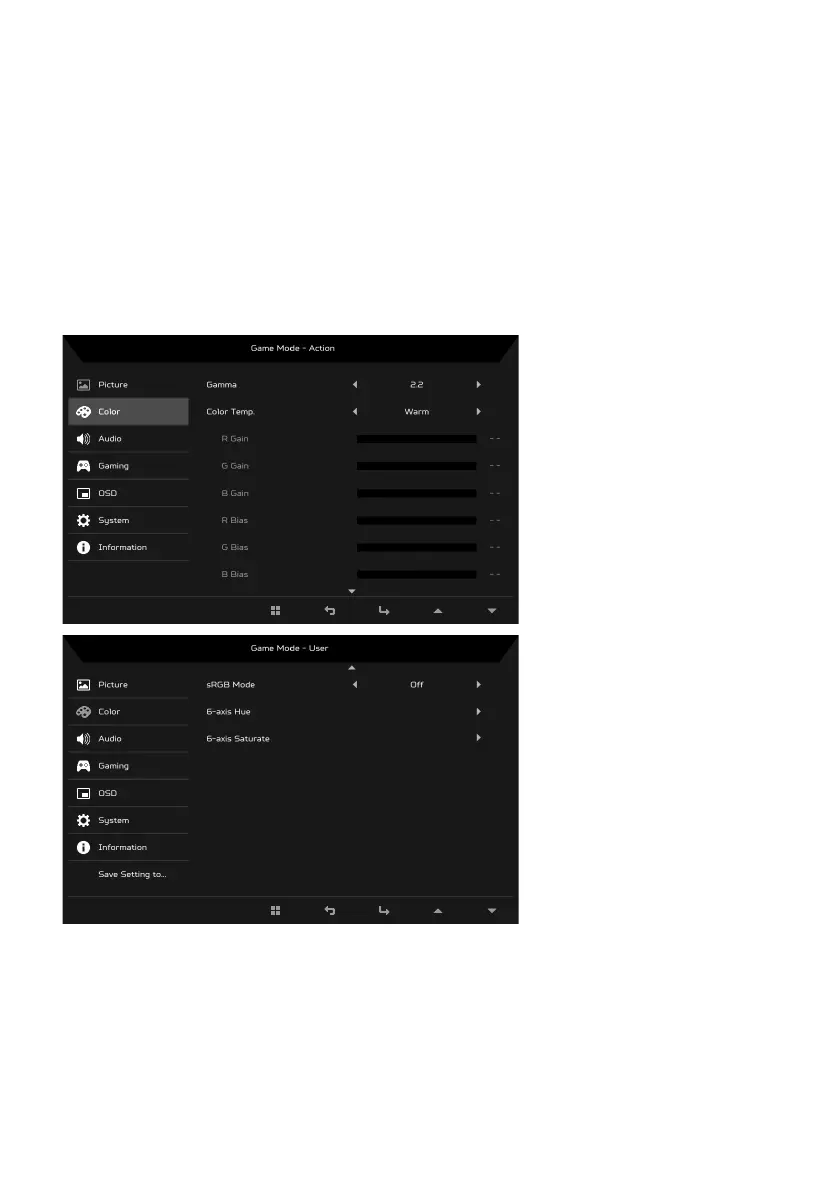
Adjusting the Color
1. Press the MENU key to open the OSD.
2. Using the
/ keys, select Color from the OSD. Then navigate to the
picture element you wish to adjust.
3. Use the / keys to select setting.
4. Gamma mode allows you to adjust the luminance tone. The default value
is 2.2 (standard value for Windows).



 To Next Page