EN-10
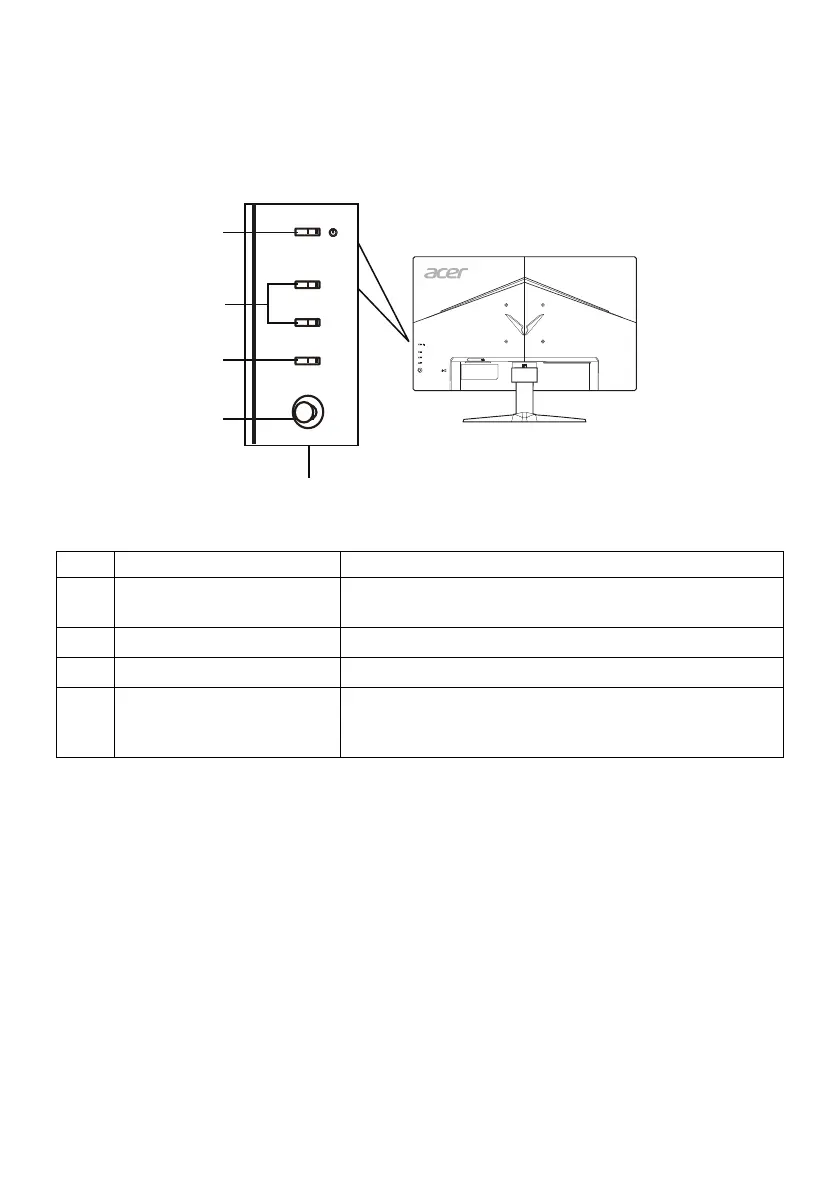
USER CONTROLS
Base Controls
No. Item Description
1 Power button/indicator
Turns the monitor on/off. Blue indicates power on.
Amber indicates standby/power saving mode.
2 Hotkey 1, 2 buttons Press to activate user defined hotkey function.
3 Input button Press to toggle input sources.
4 Navi/OK button
Press to activate the OSD menu, then use it as a
directional key to highlight the desired function.
Press it again to enter a selection.
1
1
2
3
4



 To Next Page