EN-13
The Function page
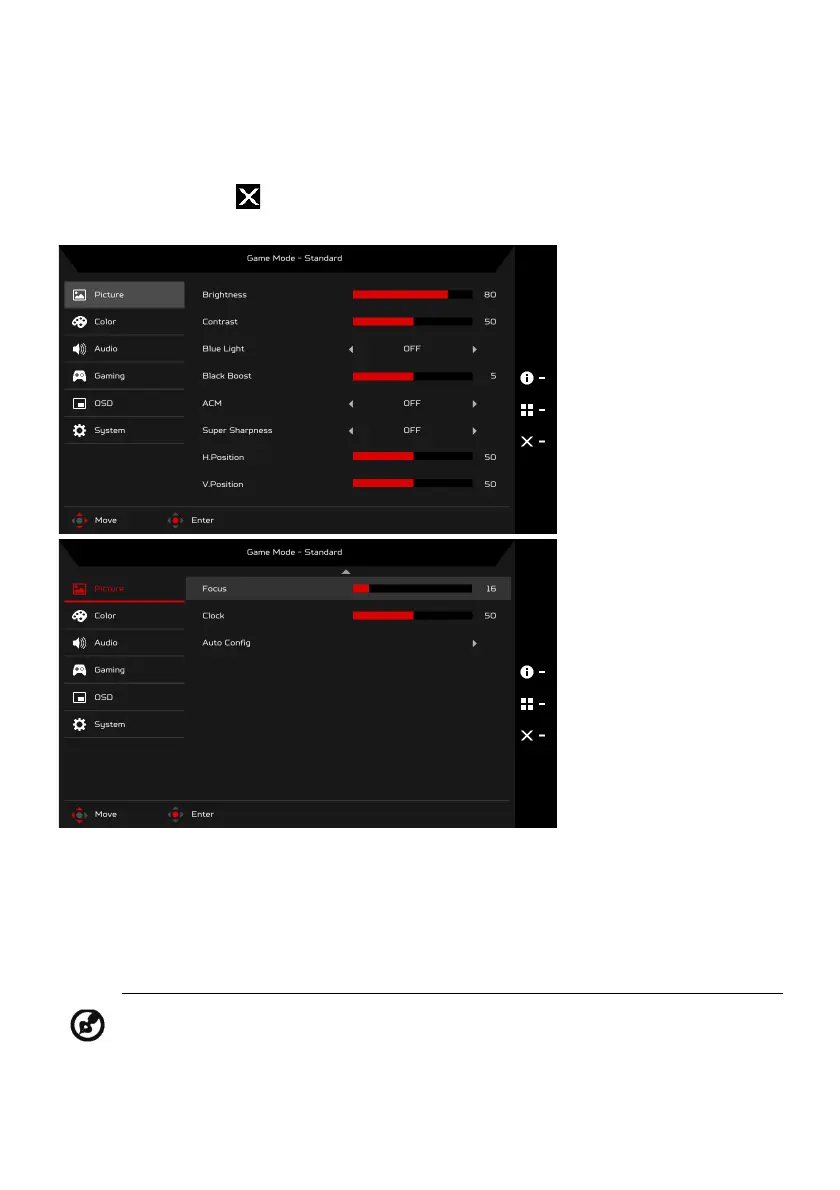
Open the Function page to select a menu function, and adjust the settings
which you want using the Navi/OK button. When you are done, press the
Navi/OK button or to go back one level.
Adjusting the Picture
1. Press the MENU key to bring up the OSD.
2. Using the Navi/OK button, select Picture from the OSD. Then navigate to
the setting you wish to adjust.
3. Use the Navi/OK button to adjust the sliding scales.
4. Brightness: Adjust the brightness from 0 to 100.
Note: Adjusts the balance between light and dark shades.



 To Next Page