AR8000 operating manual
98
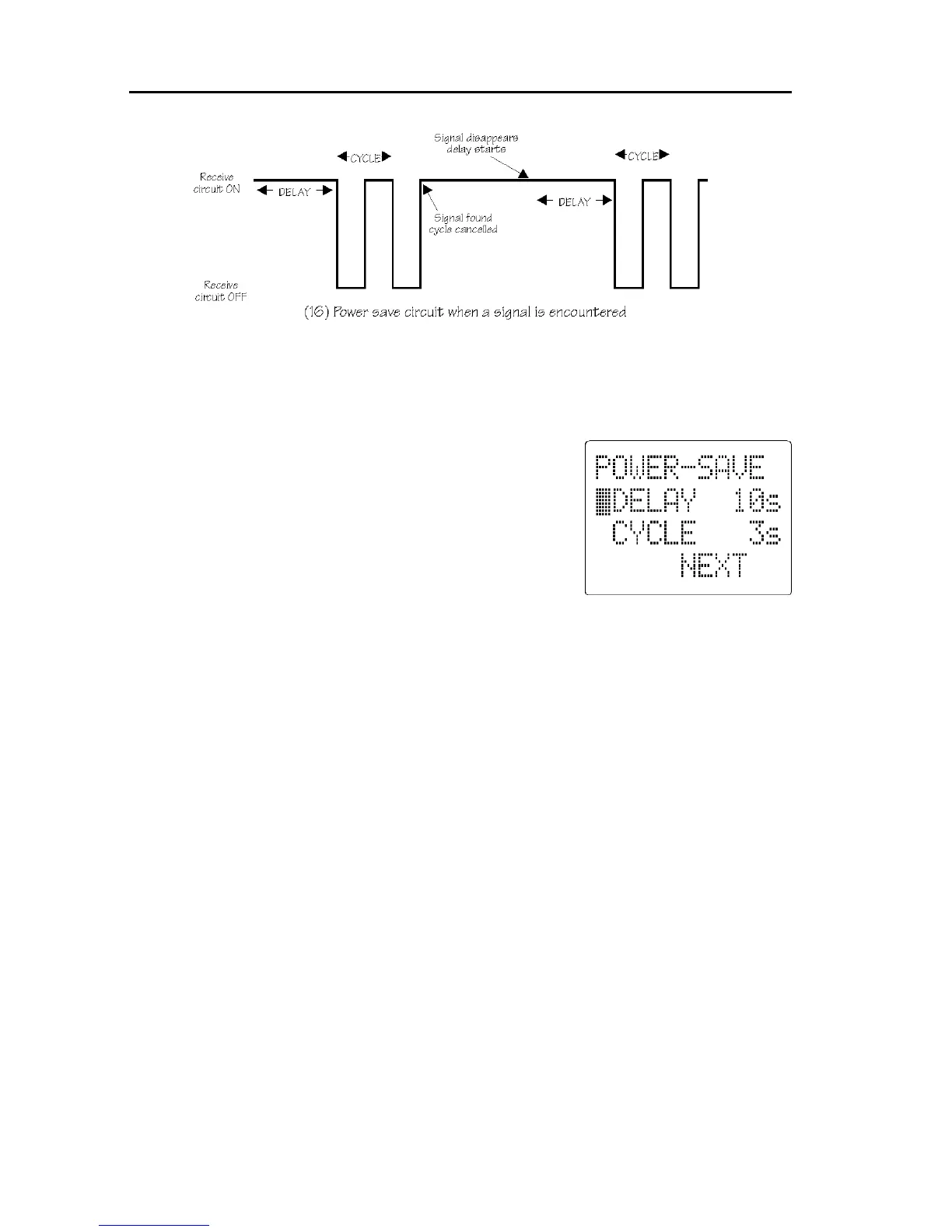
DELAY: This parameter determines how soon the receiver will become
“dormant (then cycle)” and is timed from when the squelch last closed or
keypad was used.
The available range is 1 to 99 seconds plus OFF
selected by rotating the [DIAL] (default is OFF in
NEWUSER mode). When OFF, the power save
does not operate and the data field of CYCLE will be
displayed as “- -”.
CYCLE: This parameter determines how long the
receiver will remain active looking for activity then
remain dormant. The available range is 2 to 9
seconds selected by rotating the [DIAL] (default 3
seconds when the power save is On).
16-1 Changing POWER SAVE values
In EXPERT status, the CONFIGURATION menu is used to program the
POWER SAVE parameters.
To access the configuration menu press [FUNC] [LOCAL]. Make sure that the
EXPERT status is selected, if not use the UP/DOWN key to move the cursor
along side the “NEWUSER” option and rotate the [DIAL] so that the legend
“EXPERT” is displayed.
Press the [DOWN] key until the “POWER SAVE” menu is displayed. There are
two parameters which may be altered.
Use the UP/DOWN key to select the “DELAY” option. Rotate the [DIAL] to
choose the value in the range 1 to 99 seconds or OFF.
Use the UP/DOWN key to select the “CYCLE” option. Rotate the [DIAL] to
choose the value in the range 2 to 9 seconds.
Press [ENT] to accept the new parameters and return to SEARCH, SCAN or
VFO mode (whichever was previously in use).



 To Next Page