- 12 -
LCD Monitor User’s Manual
GETTING STARTED
Installing the Monitor Base
1. Place the monitor on a at surface, with the screen facing down.
Note: We recommend that you cover the table surface with soft cloth to
prevent damage to the monitor.
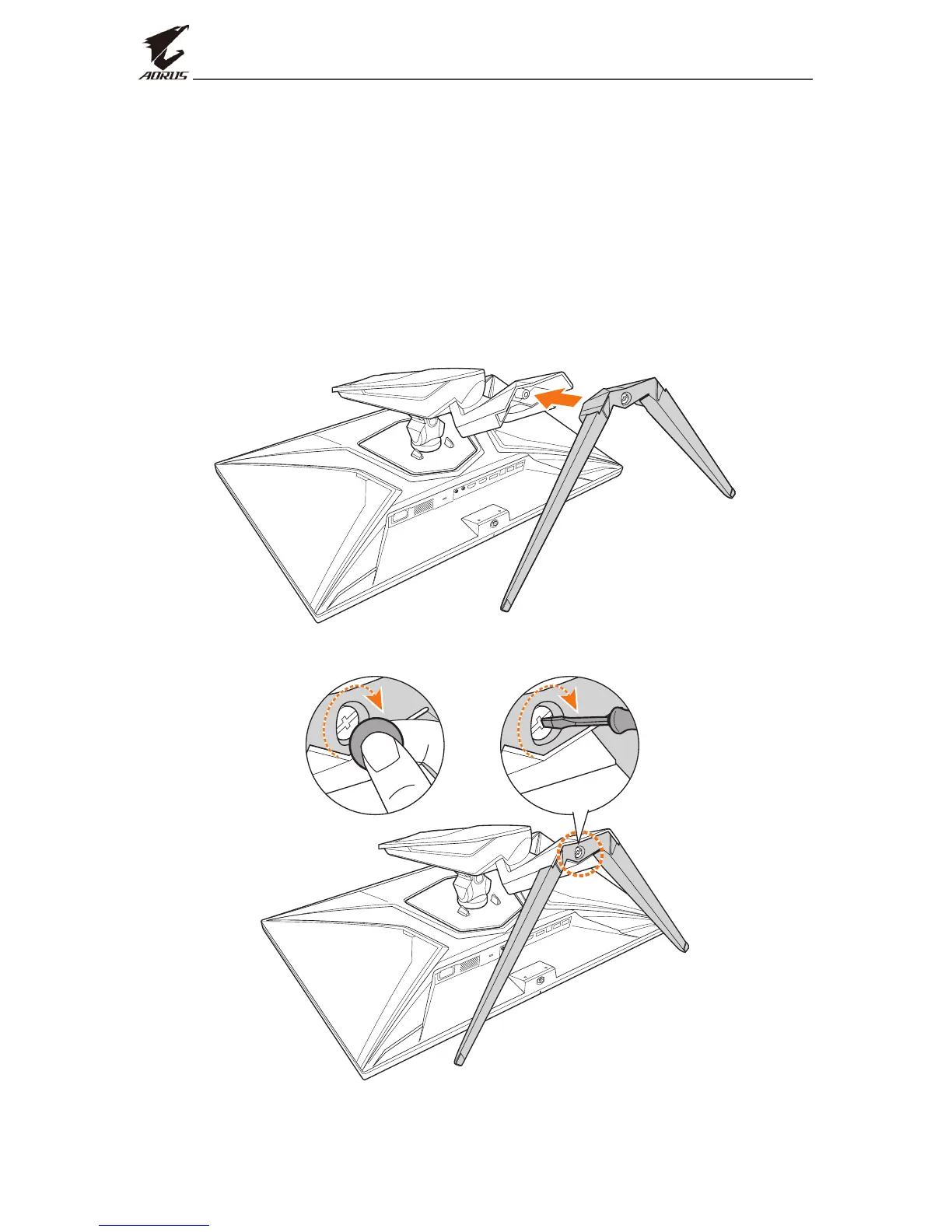
2. Align the monitor base with the stando underneath the stand. Then
attach the base onto the stand.
3. Tighten the screw to secure the monitor base in place.
Note: You can either use a coin or a small athead screwdriver to tighten
the screw.



 To Next Page