- 16 -
LCD Monitor User’s Manual
Installing a Wall-Mount Bracket (Optional)
Use only the 100 x 100 mm wall mount kit recommended by the
manufacturer.
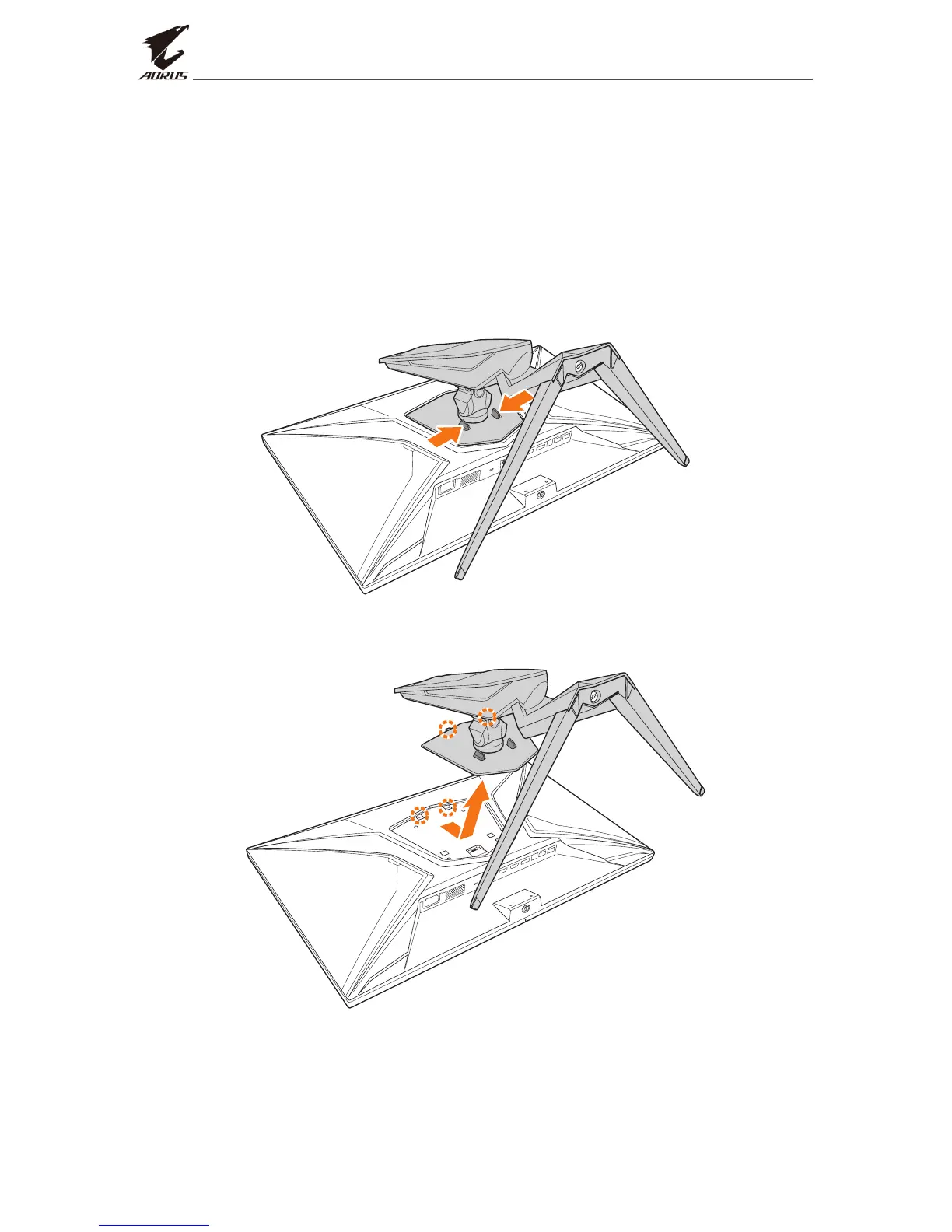
1. Place the monitor on a at surface, with the screen facing down.
Note: We recommend that you cover the table surface with soft cloth to
prevent damage to the monitor.
2. Push the locking clips inward to detach the stand from the monitor.
3. Pull down the stand slightly to disengage the hooks. Then remove
the stand.


 To Next Page