- 15 -
LCD Monitor User’s Manual
Changing the Screen Orientation
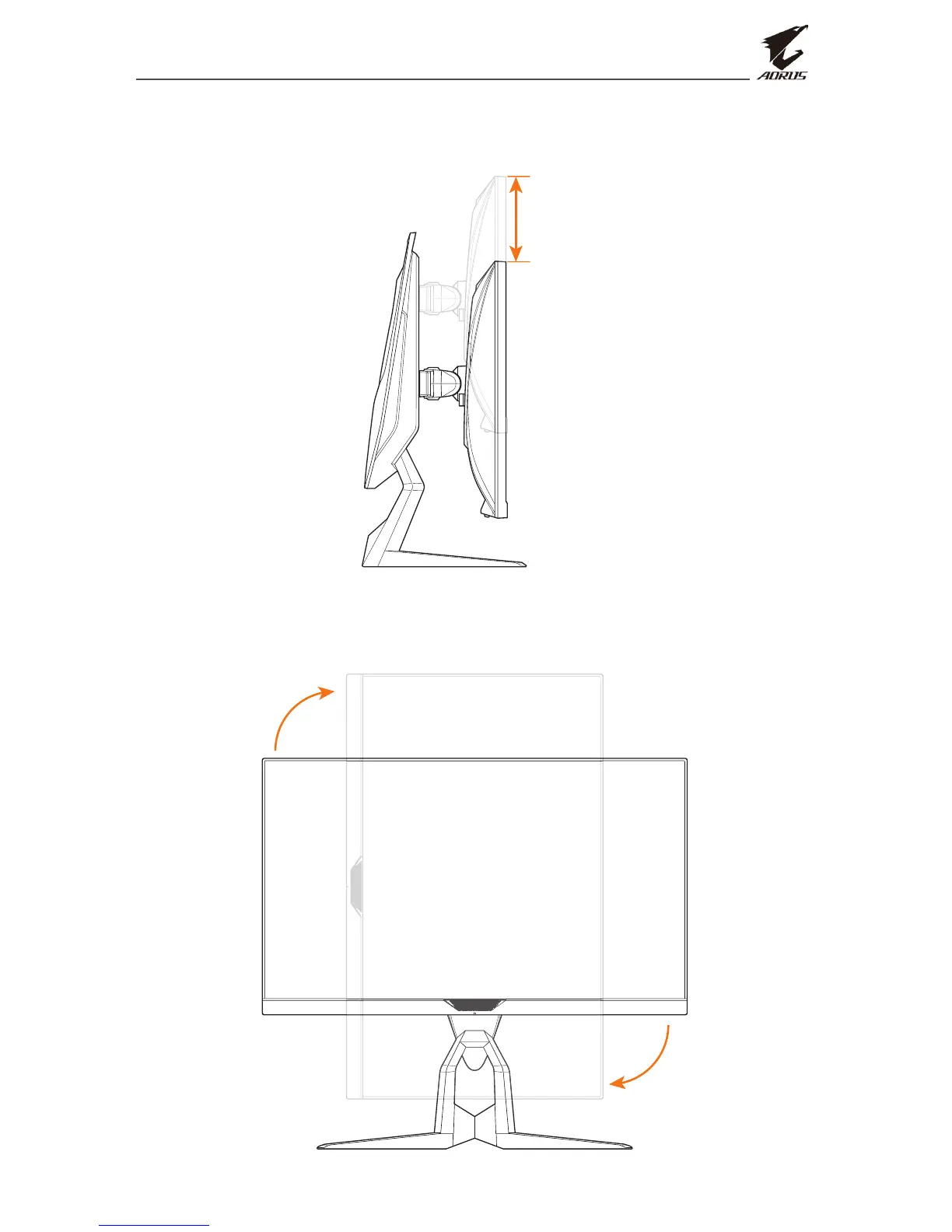
1. Raise the screen to the highest position (130mm).
130 mm
Note: Before making the height adjustment, make sure you have removed
the safety plate from the stand.
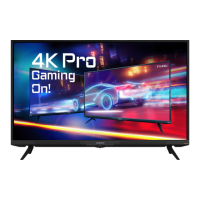
2. Rotate the monitor (90˚ clockwise) to portrait orientation.
90°


 To Next Page