- 26 -
LCD Monitor User’s Manual
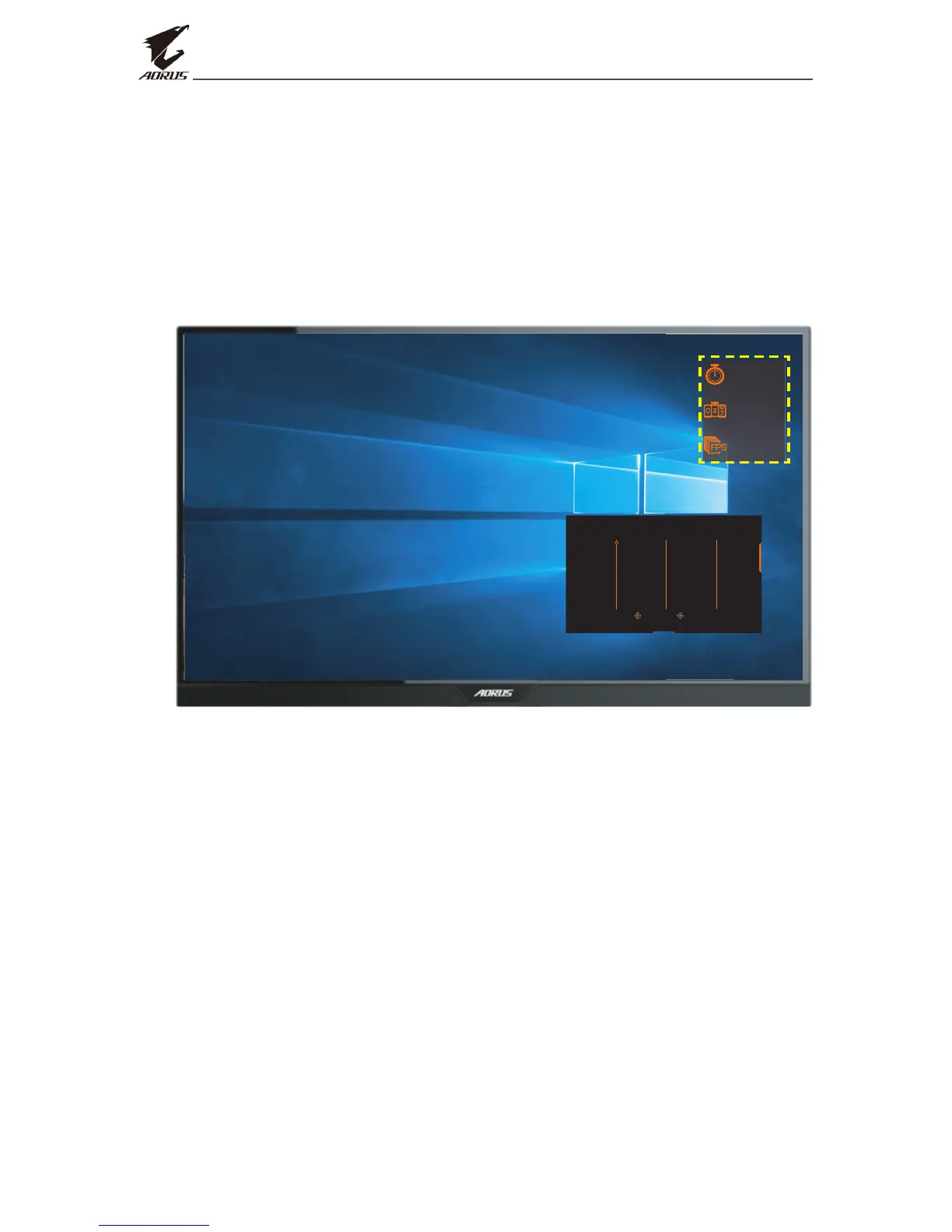
• AORUS INFO: Congure the FPS (First Person Shooting) game
related settings.
√ Select Gaming Timer to select countdown timer mode. To
disable this function, set the setting to OFF.
√ Select Gaming Counter or Refresh Rate to enable/disable the
gaming counter or real-time refresh rate setting.
√ Select Info Location to specify the location of the information to
be shown on the screen.
01:57
0
60
Select Exit
GameAssist
AORUS INFO
Display
Alignment
Crosshair
Gaming Timer
Gaming Counter
Refresh Rate
Info Location
OFF
Count Up
Count Down
• Crosshair: Select the desired crosshair type to suit your gaming
environment. It makes aiming much easier.
• Display Alignment: When the function is enabled, it displays the
alignment lines on the four sides of the screen, providing handy tool
for you to line up multiple monitors perfectly.


 To Next Page