- 29 -
LCD Monitor User’s Manual
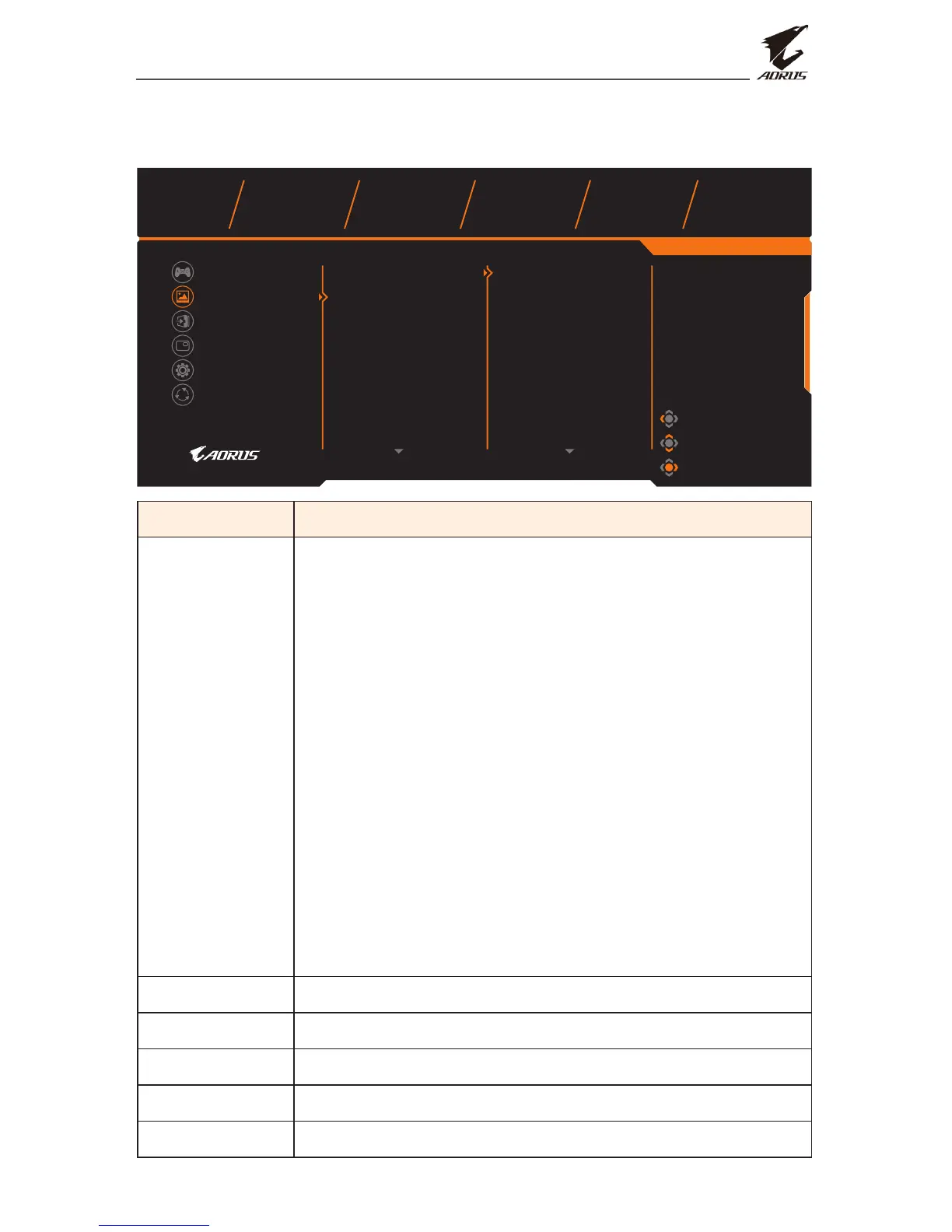
Picture
Congure the image related settings.
Exit
Move/Adjust
Enter/Confirm
Gaming
Picture
Display
PIP/PBP
System
Reset All
Picture Mode
Brightness
Contrast
Color Vibrance
Sharpness
Gamma
Color Temperature
Standard
AORUS
FPS
RTS/RPG
Movie
Reader
sRGB
Picture Mode Standard
HDR Brightness Contrast Sharpness Gamma Color Temperature
OFF 80 50 5 Gamma 3 Normal
Item Description
Picture Mode Select the preset picture mode.
• Standard: For editing documents or browsing
websites.
• AORUS: For playing AORUS GAMER games.
• FPS: For playing FPS (First Person Shooting)
games.
• RTS/RPG: For playing RTS (Real-Time Strategy) or
RPG (Role-Playing Game) games.
• Movie: For watching movies.
• Reader: For viewing documents.
• sRGB: For viewing photos and graphics on the
computer.
• Custom 1: Customized picture mode settings.
• Custom 2: Customized picture mode settings.
• Custom 3: Customized picture mode settings.
Brightness Adjust the brightness of the image.
Contrast Adjust the contrast of the image.
Color Vibrance Adjust the intensity of the more muted colors.
Sharpness Adjust the sharpness of the image.
Gamma Adjust the middle level of luminance.


 To Next Page