RU
IT
ES
ID
DE
FR
KO
SC
TC
EN
32
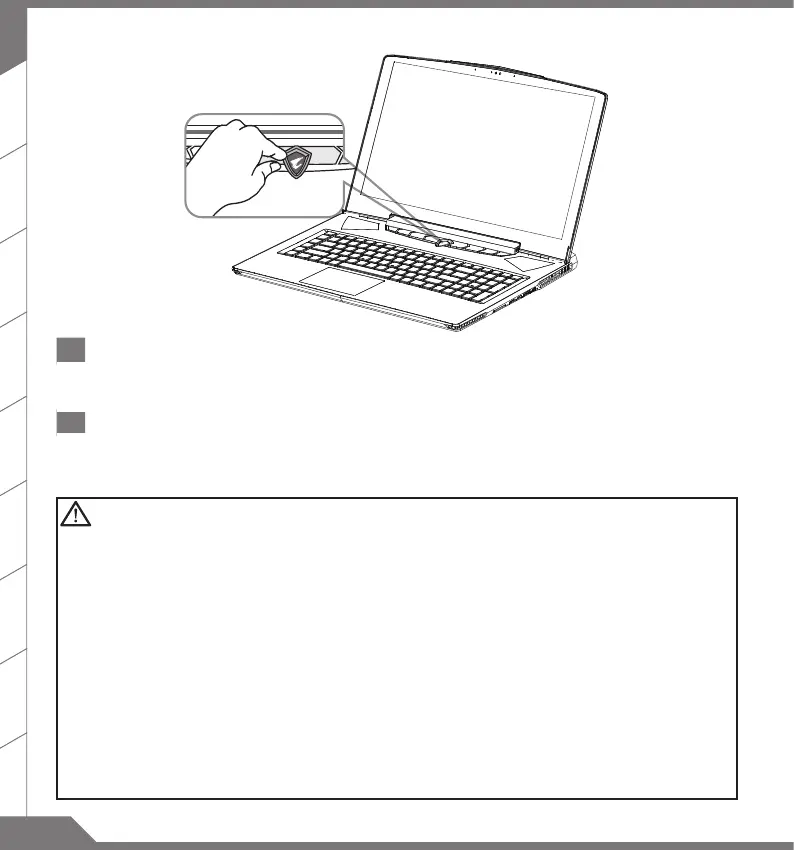
1 Switching on the Power
After you turn on the notebook for the very rst time, do not turn it o until the operating system has been congured.
Please note that the volume for the audio will not function until Windows
®
Setup has completed.
2 Booting Up the notebook for the First Time
Depending on your conguration, the Microsoft
®
Windows
®
Boot Screen may be the rst screen that you will see as the
notebook starts up. Follow the on screen prompts and instructions and enter your personal information to complete the
setup of the Windows
®
Operating System.
IMPORTANT
■
Ensure that your Notebook PC is connected to a grounded power adapter before turning it on for the
rst time.
■
When using your Notebook PC on power adapter mode, the socket outlet must be near to the unit and
easily accessible.
■
Locate the input/output rating label on your Notebook PC and ensure that it matches the input/output
rating information on your power adapter. Some Notebook PC models may have multiple rating output
currents based on the available SKU.
■
Power adapter information
:
Power adapter information
:
Input voltage
:
100-240 Vac
Input voltage
:
100-240 Vac
Input frequency
:
50-60 Hz Input frequency
:
47-63 Hz
Rating output ampere
:
11.8 A
Rating output ampere
:
13.1 A
Rating output voltage
:
19.5 V Rating output voltage
:
19.5 V


 To Next Page