Need help?
Do you have a question about the AORUS X7 and is the answer not in the manual?
Steps to connect the AC adapter, power cord, and turn on the notebook for the first time.
Instructions for powering on the notebook for the first time and initial OS setup.
Guidance on the Windows boot screen and completing OS setup.
Identification and description of key laptop components like webcam, microphone, and touchpad.
Overview of all available ports for external devices and displays.
Explanation of function keys (Fn) combined with other keys for system controls like brightness and volume.
Details on using macro keys and setting them up via Macro Hub for custom operations.
Connecting multiple monitors via Surround Port for an enhanced visual experience.
Configuring custom macro key combinations and groups using the Macro Hub software.
Utilizing Killer LAN software to prioritize network traffic for optimal gaming speed.
Information on upgrading RAM and storage components like SSD and HDD.
Explanation of how the system protects the battery from overheating during high performance use.
Adjusting GPU SLI settings and fan speeds (Auto, Stealth, Turbo) for performance and cooling.
Managing Windows key lock, mouse speed, and volume through the Command & Control interface.
Understanding the layout and elements of the Macro Hub software for managing macros.
Assigning basic functions to macro keys via the Macro Hub.
Steps for creating and editing custom macro sequences within the Macro Hub software.
Detailed explanation of the macro record panel controls for starting, stopping, and managing recordings.
Detailed steps for configuring RAID 0/1 in the BIOS and using Intel Rapid Storage Technology.
Guide to backing up your system using the AORUS recovery tool to a USB disk.
Steps to perform system recovery for Windows 7, including launching the tool and restoring the system.
Details on refreshing or resetting your PC, and advanced recovery options like System Restore.
Information on warranty, service, and support resources available through the AORUS website.
Links to frequently asked questions and support resources on the AORUS website.
 General
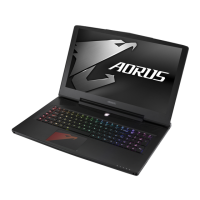
| Model | AORUS X7 |
|---|---|
| Processor | Intel Core i7 |
| Resolution | 1920x1080 pixels |
| SSD Storage | Up to 512GB |
| HDD Storage | Up to 1TB |
| Dimensions | 428 x 305 x 22.9 mm |
| Graphics | NVIDIA GeForce GTX |
| Graphics Configuration | Dual NVIDIA GeForce GTX 970M |
| Display Size | 17.3 inches |
| Display Type | LCD |
| Storage | SSD + HDD |

 To Next Page