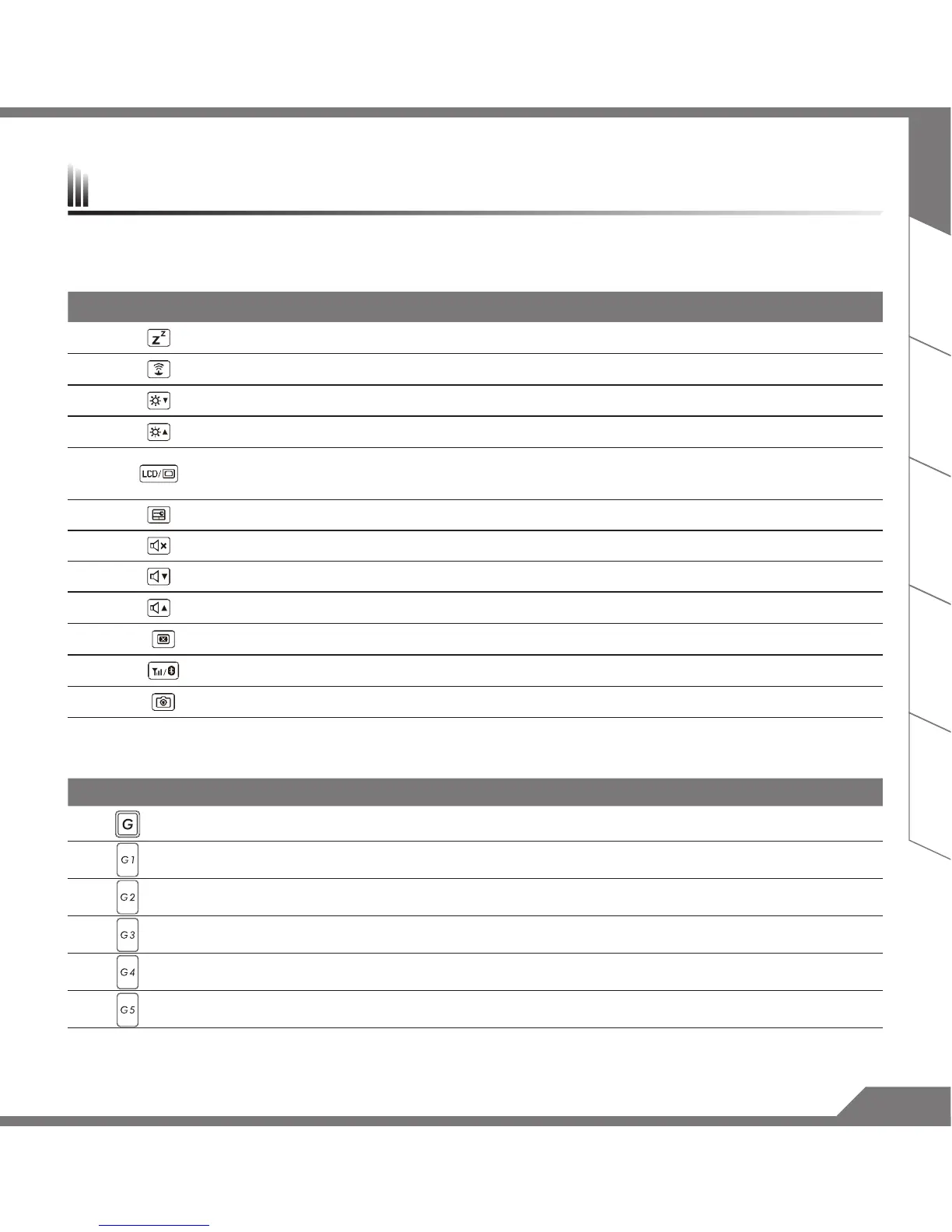
The computer employs hotkeys or key combinations to access most of the computer’s controls like screen
brightness and volume output. To activate hotkeys, press and hold the <Fn> key before pressing the other key
in the hotkey combination.
Hotkey Function Description
Fn + F1 Sleep Put the computer in Sleep mode.
Fn + F2 Wireless LAN Turn the Wireless LAN function ON and OFF.
Fn + F3 Brightness Down Decrease the screen brightness.
Fn + F4 Brightness Up Increase the screen brightness.
Fn + F5 Display Toggle
Switche display output between the display screen, external
monitor (if connected) and both.
Fn + F6 Touchpad Toggle Turn the internal touchpad ON and OFF.
Fn + F7 Speaker Toggle Turn the speaker ON and OFF.
Fn + F8 Volume Down Decrease the sound volume.
Fn + F9 Volume Up Increase the sound volume.
Fn + F10 Screen Display Toggle Turn the screen display ON and OFF.
Fn + F11 WiFi / Bluetooth Toggle Turn the WiFi / Bluetooth function ON and OFF.
Fn + F12 Webcam Turn the internal webcam ON and OFF.
Macro key
Macro keys can be set via Macro Hub, setting combination keys for complicated and/or general operation.
Macro key Macro key Description
G Macro group switch, press around 3 secconds as hardware switch on/off.
G1 User self-denition Macro key
G2 User self-denition Macro key
G3 User self-denition Macro key
G4 User self-denition Macro key
G5 User self-denition Macro key
Hotkeys



 To Next Page