System Backup Guide
WARNING
●
You can backup original recovery image through this application in case of losing by device damage.
●
You can backup original recovery image to USB disk and restore the system if any storage system replacement with
the recovery USB disk.
●
Before you restore the system through the recovery USB disk, please make sure that you have already made the
backup of your data.
●
Please DO NOT shut down or un-plug the system when performing backup through recovery USB disk.
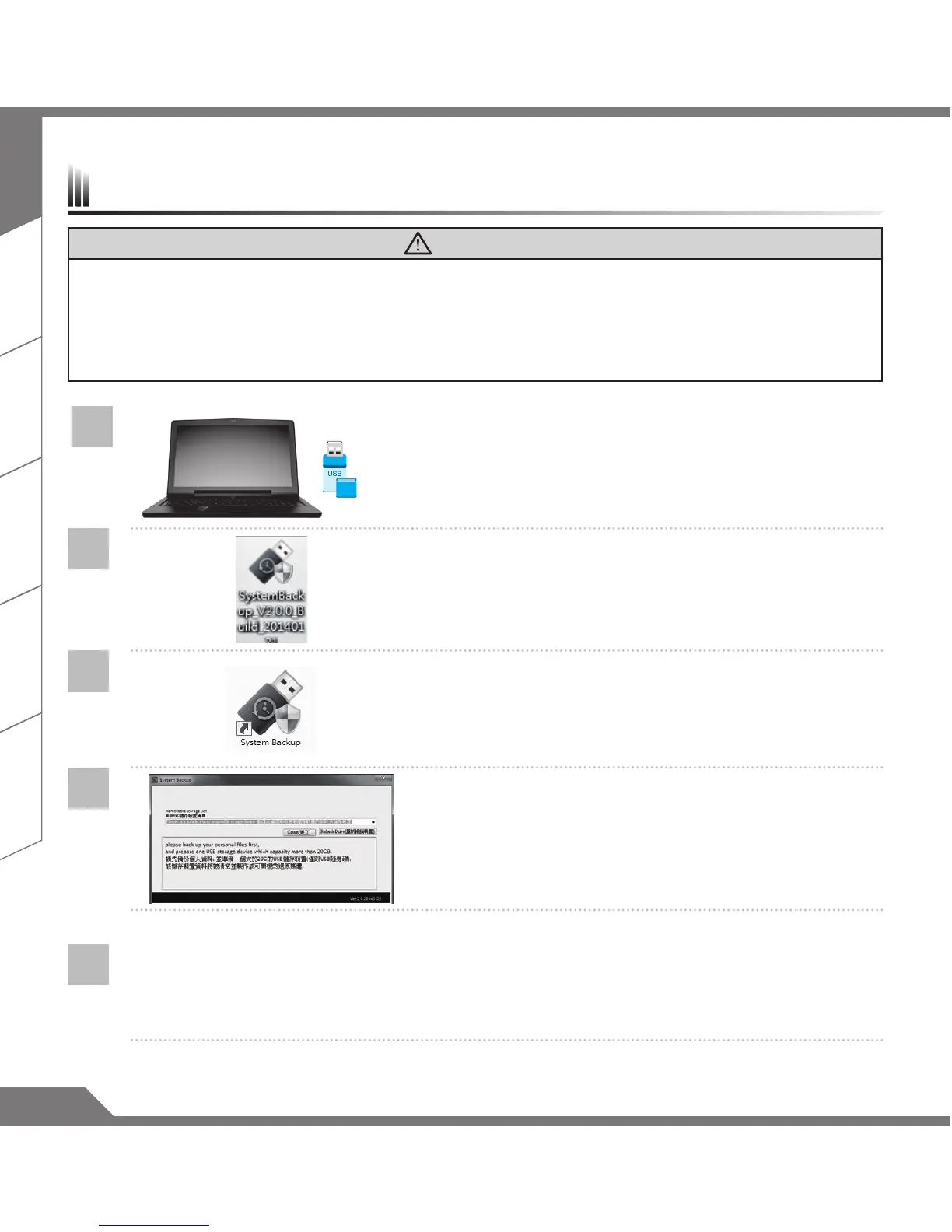
1
>20G
• Please plug in the USB disk which is at least 20GB in
capacity to make the original image (backup the data in
USB rst. All data will be eliminated during the creation of
recovery USB disk)
2
• Insert the driver disk to your optical drive and run
the install of “System Backup” (for none-ODD model,
please use USB ODD device or download from http://
www.AORUS.com
3
• Run the “System Backup” after nishing the install.
4
• Select your USB disk from the drop-down list and start to
create the recovery USB disk.
5
• The window will pop out when the creation of recovery disk is done.
• Please press F12 on starting the system when you need to restore the system. Select “boot from
recovery USB disk” and the system will be restored.
• The time needed for restore will be around 30 mins(time needed may vary by USB disk model) .



 To Next Page