RU
IT
ES
ID
DE
FR
KO
SC
TC
EN
54
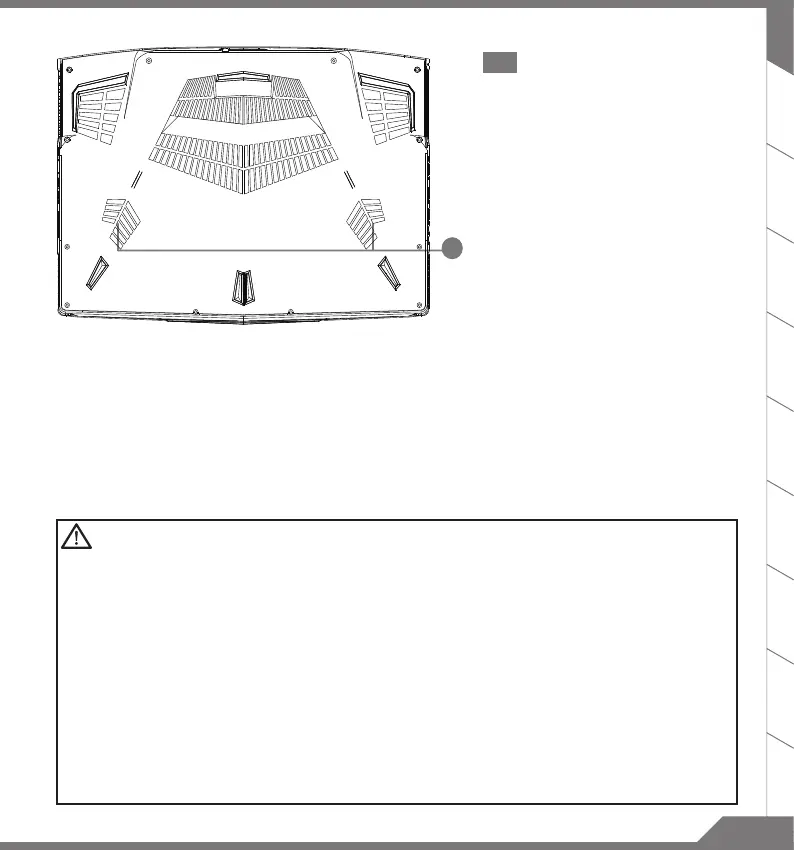
1 Subwoofer
WARNING
■
Do not remove the built-in lithium battery. For any service needs, please contact your local AORUS
Authorized Service Center.
■
Do not install the Notebook PC on a slant or a place prone to vibrations, or avoid using the Notebook
PC in that location for a long time.This increases the risk that a malfunction or damage to the product
will occur.
■
Do not store and use Notebook PC in direct sunlight or the location where temperatures exceed 112°F
(45°C) such as inside a vehicle.There is a danger of Lithium-ion battery expansion and aging.
■
Do not use the Notebook PC in a badly ventilated location such as on bedding, on a pillow or cushion,
etc, and do not use it in a location such as room with oor heating as it may cause the computer to
overheat.Take care that the Notebook PC vents (on the side or the bottom) are not blocked especially
in these environments. If the vents are blocked, it may be dangerous and cause the Notebook PC to
overheat.


 To Next Page